

KONTROL

Overview
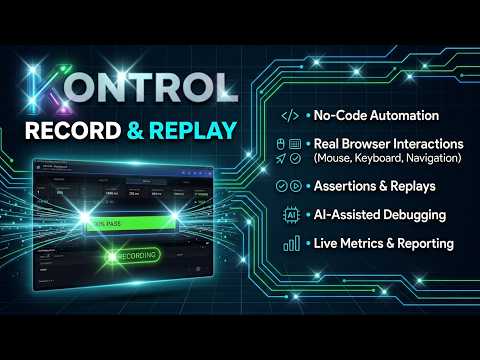
Record and run browser automations — scheduled or looping — with pass/fail history and notifications. No code required.
KONTROL is website monitoring that lives in your browser: a recorder, a scheduler and an alert system in one extension. Click through a flow once, and your browser re-runs it on a loop or a schedule and tells you the moment it breaks. No code, no selectors, no QA hire, no monthly bill. Built for the person who looks after the sites: a freelancer, a small agency, a support or ops lead, a founder checking their own checkout. If you have ever logged in "just to check it still works", this is that check, automated. HOW IT WORKS 1. Record. Click through the page, like a browser test recorder with no code to write, and KONTROL turns each click and typed field into a step. Steps read like sentences ("Click Add to cart"), not selectors. An optional AI copilot can suggest, and do, the next step while you record. 2. Check. Add checks: this text is on the page, this button is visible, the URL contains this, there are at least 3 results. Or check that the page looks the same as before, passes an accessibility scan, or that an API or health endpoint answers the way it should. 3. Run. Run it once, on a loop, or every day at a set time. 4. Get told. A desktop or phone alert arrives when it fails, with a screenshot, console errors and a step-by-step breakdown. WORKS BEHIND YOUR LOGIN KONTROL runs in the Chrome profile you already use, so it can check anything you can open: admin panels, staging sites, client dashboards, pages behind a VPN. There is no tunnel to set up and no IP address to allow-list. QUIET IN YOUR BROWSER KONTROL only touches a page when a scenario you started is running in it. It adds nothing to the other pages you visit, and it does not track your browsing. A page-opened trigger, if you set one up, compares addresses on your device only. YOUR DATA STAYS ON YOUR DEVICE Scenarios, run history, screenshots and videos are stored locally in your browser. There is no KONTROL account and no cloud copy of your tests. The only outbound connections are the ones you switch on or ask for: push alerts and phone commands through ntfy, webhooks you point it at, AI features using your own Anthropic key, the licence check for Pro, and the news feed when you open it. ALERTS THAT DON'T SPAM YOU - One incident per problem, not one alert per failed run. It closes itself when the check passes again. - Rules that read as sentences: starts failing, recovers, fails several times in a row, a step fails, much slower than usual, reliability drops, a running scenario goes quiet, a scheduled run was missed, a daily summary. - Grace periods, cooldowns, do-not-disturb hours, snooze, and batching when many things fail at once. - Desktop notifications, phone push, Slack, Discord, Teams or any webhook, or stop the scenario automatically so a broken loop doesn't hammer your site. - Control it from your phone: send STATUS, RUN, START, PAUSE, STOP, ACK or SNOOZE from the ntfy app. - Run a scenario from a script or CI job and get passed or failed back. RUN A WHOLE SET, GET ONE VERDICT Group scenarios into a session and run them together: one verdict for the whole set, the first failure named, and a bug report on your clipboard in one click, ready to paste into Jira, GitHub or Slack with the failing step and its screenshot. Stop at the first failure if you like. Schedule a session, or watch one over a window of hours (check every 15 minutes for 8 hours) and read a single summary at the end. Start one from your phone or a script (Pro) and get PASSED or FAILED back. Building and running sessions by hand is free; scheduling them and watch windows are Pro. WATCH A PAGE Tell me when a word appears on, or disappears from, a page: a price, an out-of-stock notice, an appointment slot. One form creates the check and the alert. SEE WHAT HAPPENED - An overview of what needs attention, what runs next and which steps are flaky. - Every run in one table with filters and saved views, a side-by-side comparison of two runs, and failures grouped by cause. - A shareable HTML report for a run or a filter, and a status page you can hand to a client, in light or dark. - Duration trends, reliability, Largest Contentful Paint and Total Blocking Time per run. - Failure screenshots, drawn from the page itself when the screen is locked, and captured console errors. - Copy bug report: one click puts a ready-to-paste report on your clipboard. - A health state for each scenario: healthy, degraded or failing. EASY TO BUILD, HARD TO BREAK - Matching by visible text and accessible name first, with test IDs and structural selectors as a last resort. - Self Heal finds an element again when its label changes slightly. - Run a scenario from a CSV, one row per run, with sensitive columns masked in results. - Step-through debugger with breakpoints, Retry and Run to here, and a Test button that never counts toward your history. - Start from a ready-made starter scenario, on a practice site made for learning. A full manual and help icons on every field are built in. - Check that no network requests fail and that no links on a page are broken. - Import and export scenarios as JSON, import Chrome DevTools Recorder files, and export a scenario as a Playwright test. OPTIONAL AI (YOUR OWN KEY) Describe a goal and Claude drafts a scenario: it opens the page, carries on by itself while you watch (and stops when it is stuck), hovers menus, chooses from dropdowns and finishes with a check for what you said success looks like. It can only choose from real elements found on the real page, so it cannot invent a selector. Claude can also suggest checks for a page, tidy a recording into plain step names, explain why a run failed, and say whether a pattern of failures looks flaky, a regression or an outage. Every suggestion waits for your approval. AI is off until you add your own Anthropic API key, and you pay Anthropic directly for what you use. PRICING: FREE TO BUILD, $29 ONCE FOR THE UNATTENDED EXTRAS Free: - Record and build scenarios with every step type - Run Once, Run Now, Test and Debug, with unlimited runs - Up to three Loops at a time, each repeating every 5 minutes or more - Sessions: run a set of scenarios and read one verdict, by hand - Results, metrics, alerts, phone remote control and the AI features Pro ($29 one-time, no subscription, covers up to three of your devices, 30-day refund): - Scheduled runs at a set time on the days you choose - Any number of Loops at once, as often as every 15 seconds - Logic steps in real runs (If/Else, While, Break, Run Scenario) - Scheduled sessions, and watch windows with an end-of-window summary - Visual workflow editor - Video recording of runs - Webhook and run-another-scenario alert actions, event triggers (Chrome starts, a page is opened), and running a scenario from a script or CI job You can build and test a full scenario, logic included, before you pay anything. GOOD TO KNOW - KONTROL is a Chrome extension and needs Chrome 116 or newer. It is synthetic monitoring from your own machine: Chrome must be running, on a machine that is on, for looping and scheduled checks to run. It is not a cloud monitor, so it is not for 24/7 uptime pings from many locations. - It tests the web in the browser it runs in: Chrome, and Edge, Brave and Opera, where it has been tested. It does not test Firefox, Safari or desktop apps. - Scenarios live on your device. To share one with a teammate, export and import the file. WHO IT'S NOT FOR If you need a shared team workspace, CI/CD integration with a hosted dashboard or multi-region uptime checks, a cloud testing platform is a better fit. If you want one person to keep an eye on the sites they run, without writing code or paying every month, this is for you. Questions or ideas? Use the lightbulb button (Send a suggestion) in the top bar.
0 out of 5No ratings
Details
- Version6.261.0
- UpdatedOctober 18, 2026
- FeaturesOffers in-app purchases
- Offered byplingwood
- Size3.7MiB
- LanguagesEnglish (United Kingdom)
- DeveloperPaul Arthur Lingwood
An Post, Capel Place Edward Street Tralee, Co. Kerry V92 PW20 IEEmail
plingwood@gmail.comPhone
+353 87 187 0067 - TraderThis developer has identified itself as a trader per the definition from the European Union and committed to only offer products or services that comply with EU laws.
Privacy

KONTROL has disclosed the following information regarding the collection and usage of your data. More detailed information can be found in the developer's privacy policy.
KONTROL handles the following:
This developer declares that your data is
- Not being sold to third parties, outside of the approved use cases
- Not being used or transferred for purposes that are unrelated to the item's core functionality
- Not being used or transferred to determine creditworthiness or for lending purposes