

Konode | Private Bookmark & Tab Sync
10 ratings
)
Overview
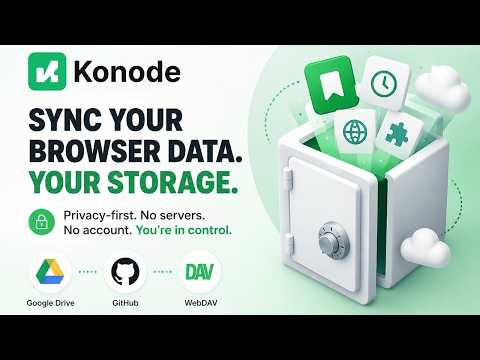
Privacy-first browser sync to your own storage: Google Drive, WebDAV, GitHub.
Konode syncs your browser data to storage you own. There is no Konode server and no account to create. Your bookmarks go straight from your browser to your Google Drive, a GitHub repository, or your own WebDAV storage. Open source & verifiable -------------------------------------- Konode is fully open source under the MPL-2.0 license. Read every line, audit exactly what it does with your data, or build it yourself: https://github.com/konabe-studio/konode What it syncs --------------------- Bookmarks: full folder structure, adds, deletes, moves, and reorders Open tabs: save your session and restore another device's tabs History: a synced, de-duplicated list Extensions: see which extensions are missing on this device Bookmarks sync on their own. History, tabs, and the extension list are optional, and each one asks for its permission only when you turn it on. Your bookmarks are recoverable ------------------------------------------------ Konode keeps restore points: timestamped copies of your bookmark tree, on your own storage, the newest ten kept. Save one whenever you like, and Konode saves one by itself if a sync ever arrives asking for an unusual mass deletion, which it refuses rather than carries out. Restoring only ever adds bookmarks back, so it can't cost you anything. Private by design --------------------------- No Konode servers. Your data travels only between your browser and the storage backend you configure. No telemetry, no analytics, no tracking of any kind. Optional end-to-end encryption (AES-256-GCM). You choose during setup, nothing is uploaded until you've decided. With encryption on, your storage provider can't read your data. Credentials stay on your device, in the browser's extension storage. Choose your storage ------------------------------- Pick Google Drive, GitHub, or your own WebDAV storage. The setup wizard has a card for the popular WebDAV providers with the server address already set up, so there is nothing to look up. For any other server, there is the generic WebDAV option. In your language -------------------------- Konode's interface follows the language your browser is set to. English, Hungarian, German, Spanish and Chinese (Simplified) are complete, translated by native speakers. More languages are in progress, and anyone can help without touching code, on Hosted Weblate: https://hosted.weblate.org/projects/konode/ Works on your browser ------------------------------------- Konode works with every Chromium-based browser. How it works -------------------- Each device writes its own sync file to a Konode folder on your backend and merges every other device's file, additively and deletion-aware, so 3+ devices converge without a central server. Settings lists the devices sharing your folder, and lets you forget one you no longer use. Conflicts can be resolved newest-wins, prefer-local, prefer-remote, or manually from the popup. Release history ------------------------ Full changelog in the repository: https://github.com/konabe-studio/konode/blob/main/CHANGELOG.md
4.9 out of 510 ratings
Details
- Version1.5.1
- UpdatedNovember 2, 2026
- Offered byKо̄nabe Studio
- Size336KiB
- Languages8 languages
- Developer
Email
konabe@proton.me - Non-traderThis developer has not identified itself as a trader. For consumers in the European Union, please note that consumer rights do not apply to contracts between you and this developer.
Privacy

Konode | Private Bookmark & Tab Sync has disclosed the following information regarding the collection and usage of your data. More detailed information can be found in the developer's privacy policy.
Konode | Private Bookmark & Tab Sync handles the following:
This developer declares that your data is
- Not being sold to third parties, outside of the approved use cases
- Not being used or transferred for purposes that are unrelated to the item's core functionality
- Not being used or transferred to determine creditworthiness or for lending purposes
Support
For help with questions, suggestions, or problems, visit the developer's support site