


Overview
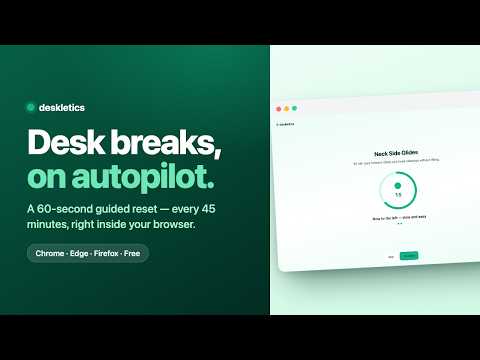
Gentle desk-exercise breaks in your browser: every X minutes the screen fades into a 60-second guided reset. Skip or snooze anytime.
Sitting all day quietly wrecks your neck, shoulders, eyes, and focus — and no app helps if you never remember to open it. Deskletics fixes the remembering. Every 30, 45, 60, or 90 minutes, your current tab gently fades and a 60-second guided desk exercise takes over: neck side glides, shoulder rolls, a 20-20-20 eye reset, box breathing, and more. Follow the ring and the breathing dot, finish, and you're back to work — looser, clearer, and one break further into your streak. It's calm by design. Before any break takes over, a small corner card gives you a few seconds and a one-click Skip or Snooze — the page keeps working until you're ready, and Esc always backs out. Breaks only run during the days and hours you choose, and they politely wait when you've stepped away from the keyboard. WHAT YOU GET • Automatic, gentle break reminders — pick 30 / 45 / 60 / 90 minutes • A 60-second guided exercise with a progress ring, step-by-step cues, and a breathing dot that paces your inhale and exhale • 14 desk moves built in for neck, shoulders, upper back, wrists, eyes, breath, and legs — works fully offline • A gentle ramp before each break: Start now, Snooze, or Skip — you stay in control • A toolbar popup with a live countdown to your next break, plus snooze, pause for the day, or take one now • A daily break counter and a day-by-day streak to keep the habit going • Honors "reduce motion" and only fires during your active hours CALM, NOT NAGGY No red badges, no guilt, no streak-shaming. A break is a soft fade and a quiet card — never a jarring pop-up. Snooze it, skip it, or pause the whole day in one click. PRIVATE BY DEFAULT Everything stays on your device. There's no analytics, no tracking, and no third parties. The only time the extension talks to the network is if YOU choose to connect a Deskletics account — then your completed breaks sync into your streak and stats. That's it. OPTIONAL: CONNECT YOUR DESKLETICS ACCOUNT Already use Deskletics at deskletics.app? Connect your account in Settings and every break you finish in the browser counts as a session on your plan — same streak, same stats. Totally optional; the extension works great without it. WANT MORE THAN 14 MOVES? The extension is a taste. Your full personalized program — 140+ moves, plans tailored to where you actually feel it, and team challenges — lives at deskletics.app. Free to start. Works in Chrome, Edge, Brave, and Arc. (Firefox version available too.) Move a little, every hour. Your future neck says thanks.
0 out of 5No ratings
Details
- Version0.2.0
- UpdatedOctober 14, 2026
- Size8.18MiB
- LanguagesEnglish
- DeveloperWebsite
Email
hello@chatflow.agency - Non-traderThis developer has not identified itself as a trader. For consumers in the European Union, please note that consumer rights do not apply to contracts between you and this developer.
Privacy

This developer declares that your data is
- Not being sold to third parties, outside of the approved use cases
- Not being used or transferred for purposes that are unrelated to the item's core functionality
- Not being used or transferred to determine creditworthiness or for lending purposes
Support
For help with questions, suggestions, or problems, please open this page on your desktop browser