

Ông Chú MMO – Săn Sản Phẩm Win Mỗi Ngày
16 ratings
)
Overview
Săn sản phẩm win mới nổi mỗi ngày cho affiliate TikTok, kèm số liệu video và kênh, tải video, phụ đề, tự cuộn. Có gói Pro trả phí.
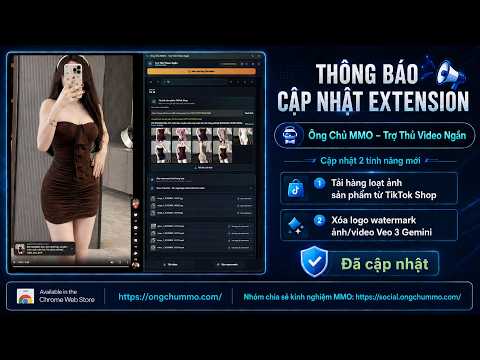
Ông Chú MMO – Trợ Thủ Video Ngắn: bộ công cụ cho người làm video ngắn và affiliate trên TikTok. Phần lớn tính năng miễn phí; gói Pro (tùy chọn, trả phí) thêm phân tích chuyên sâu. MIỄN PHÍ (không cần tài khoản) • Xem: tự cuộn, phát nền, tốc độ, âm lượng và bộ lọc nội dung • Tải về: video, ảnh, âm thanh MP3, phụ đề; playlist âm thanh; dùng được cả trên Douyin • Số liệu trên từng thẻ của lưới: lượt xem, thích, bình luận, chia sẻ, lưu, ngày đăng; nút tải nhanh; sắp xếp lưới • Bảng phân tích các bài đang hiện trên trang: lọc, sắp xếp, chọn cột, xuất CSV • Quét tài khoản theo ngày đăng: mỗi mặt hàng được làm bao nhiêu bài, gom theo shop, xuất CSV/XLSX • Xuất bình luận; thư viện lưu trên máy bạn • Tạo prompt AI từ ảnh bằng khóa API của bạn hoặc tab Gemini/ChatGPT bạn đã đăng nhập • Nút Báo lỗi gửi ghi chú ngắn cho người phát triển, chỉ khi bạn bấm Gửi PRO (TRẢ PHÍ) • Nhãn trên lưới bằng chữ: bài nổi bật, đang tăng nhanh, tương tác bất thường, tốc độ view, nhãn Shop và quảng cáo • Tab giờ đăng, hashtag và âm thanh, view theo ngày đăng trong bảng phân tích; thao tác hàng loạt • Tóm tắt kênh: chỉ số chính, điểm KOC tham khảo, sức khỏe, khung giờ vàng, báo cáo PDF/PNG • Độ bão hòa ngách trên kết quả tìm kiếm; tìm KOC ở tab Người dùng; ý định mua trong bình luận đã thu thập • Sản phẩm hot và hàng mới tiềm năng theo ngách, kèm mức cạnh tranh nói bằng chữ • Affiliate Hub: theo dõi kênh đối thủ, bài đăng và sản phẩm, chỉ lưu trên máy bạn và chỉ sau khi bạn đồng ý; thay đổi từ lần xem trước, so sánh, máy tính hoa hồng, tìm trên các sàn khác • Viết kịch bản và nhận xét kênh bằng AI trong tab trò chuyện AI bạn đã đăng nhập • Mời bạn bè: nhận thêm ngày dùng khi bạn bè mua gói SUPER VIP (TRẢ PHÍ, LIÊN HỆ ÔNG CHÚ MMO) • Số liệu mặt hàng: giá, hoa hồng ước tính, đã bán, tốc độ bán, tồn kho; chấm điểm từ link hoặc Product ID; danh sách hot đầy đủ Thanh toán: Pro 30 ngày 99.000₫, 90 ngày 249.000₫, 180 ngày 399.000₫, trả trước bằng chuyển khoản ngân hàng (VietQR) tại https://pro.ongchummo.com, không tự gia hạn. Super VIP mua bằng cách liên hệ Ông Chú MMO (https://ongchummo.com/pricing); sau khi thanh toán, người bán bật gói cho tài khoản của bạn. Bạn mua từ người bán ghi trên trang điều khoản, không phải từ Google. Pro và Super VIP đăng nhập bằng tài khoản Google; mỗi tài khoản dùng trên một máy tính tại một thời điểm. Phần phân tích này được tính trên máy chủ nên cần kết nối mạng. Quyền riêng tư: tính năng miễn phí không gửi gì cho chúng tôi, trừ báo lỗi bạn tự gửi. Hai gói này gửi Gmail, khóa công khai của thiết bị và các con số (view, tim, follower, đã bán, giá…) kèm mã ngẫu nhiên đổi theo phiên thay cho từng mục; Super VIP gửi thêm mã số sản phẩm. Không gửi link, tên kênh, caption, chữ bình luận hay cookie TikTok. Danh sách theo dõi chỉ lưu trên máy bạn. Chi tiết: https://pro.ongchummo.com/privacy Điều khoản: https://pro.ongchummo.com/terms · Hoàn tiền: https://pro.ongchummo.com/refund Không liên kết với TikTok, ByteDance hay Google.
4.8 out of 516 ratings
Details
- Version12.47.3
- UpdatedNovember 3, 2026
- FeaturesOffers in-app purchases
- Offered byÔng Chú MMO
- Size3.69MiB
- Languages5 languages
- DeveloperÔng Chú MMO
01 trần thị vững chung cư him lam phú đông Thị xã Dĩ An, Thành phố Hồ Chí Minh 710000 VNEmail
toanhvan90@gmail.com - Non-traderThis developer has not identified itself as a trader. For consumers in the European Union, please note that consumer rights do not apply to contracts between you and this developer.
Privacy

Ông Chú MMO – Săn Sản Phẩm Win Mỗi Ngày has disclosed the following information regarding the collection and usage of your data. More detailed information can be found in the developer's privacy policy.
Ông Chú MMO – Săn Sản Phẩm Win Mỗi Ngày handles the following:
This developer declares that your data is
- Not being sold to third parties, outside of the approved use cases
- Not being used or transferred for purposes that are unrelated to the item's core functionality
- Not being used or transferred to determine creditworthiness or for lending purposes
Support
For help with questions, suggestions, or problems, please open this page on your desktop browser