

Canvas Assistant – Video Downloader, Transcriber & Summarizer

Overview
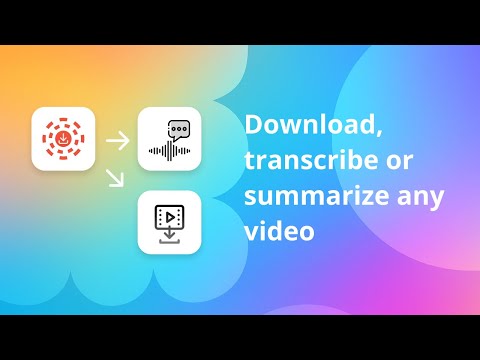
Download, summarize, and transcribe videos from any website, including popular LMS: Canvas LMS, Blackboard, Moodle, and Panopto.
The All-in-One Video Downloader, Summarizer, and Transcriber for Students Canvas Assistant helps busy students download lecture videos, transcribe recordings, generate AI summaries, and turn hours of lectures into interactive and structured study material. Download videos from Canvas LMS and Moodle. Save lectures for offline viewing, create searchable transcripts, and generate concise study notes without repeatedly rewatching long recordings. Whether you're preparing for an exam, reviewing a difficult lecture, or saving course material for later, Canvas Assistant gives you one workflow for capturing and studying video content. 🎥 Download Videos and Lectures Canvas Assistant is a video lecture downloader for popular platforms such as Canvas LMS and Moodle. Download supported video streams directly from your browser. 📝 Transcribe Videos to Text Turn lecture videos and audio into clean, searchable transcripts. Video transcription makes it easier to find important explanations, revisit difficult concepts, copy key information into your notes, and study without rewatching an entire lecture. 🧠 Turn Lectures into Interactive Study Material with AI Upload a lecture and Canvas Assistant transforms it into a structured, interactive study environment. AI organizes the recording into topics and chapters, creates a searchable transcript with direct jumps to any moment in the video, builds a concept map of key ideas, extracts important notes, exam-related points, tasks, terms, and sources, and lets you ask questions directly about the lecture. Instead of simply summarizing a video, it turns the full recording into study material you can explore, navigate, and interact with. 🎓 Built for Students Canvas Assistant is designed specifically for students working with recorded university lectures and online course material. 🔒 Private and Secure Downloaded videos stay stored locally on your device. AI processing is used when needed for transcription and summarization. 🎓 Works With Popular LMS Platforms Besides Canvas LMS and Moodle, Canvas Assistant also works with lectures hosted on Blackboard and Panopto.
4.5 out of 529 ratings
Details
- Version2.5.0.83
- UpdatedOctober 26, 2026
- Size21.03MiB
- LanguagesEnglish (United States)
- Developer
- Non-traderThis developer has not identified itself as a trader. For consumers in the European Union, please note that consumer rights do not apply to contracts between you and this developer.
Privacy

Canvas Assistant – Video Downloader, Transcriber & Summarizer has disclosed the following information regarding the collection and usage of your data. More detailed information can be found in the developer's privacy policy.
Canvas Assistant – Video Downloader, Transcriber & Summarizer handles the following:
This developer declares that your data is
- Not being sold to third parties, outside of the approved use cases
- Not being used or transferred for purposes that are unrelated to the item's core functionality
- Not being used or transferred to determine creditworthiness or for lending purposes
Support
For help with questions, suggestions, or problems, visit the developer's support site