

Handshake

Overview
Carry context from one AI chat into another with one click. No AI, no accounts, everything stays on your device.
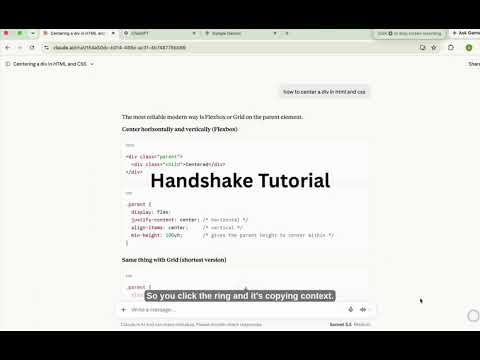
Transfer a conversation from one AI chat to another with a single click. If you are talking to one AI and want to continue the same conversation in a different one, this extension copies what was said and drops it right into the new chat. You do not need to copy and paste anything yourself, and no AI model is used to summarize or shorten the conversation, so nothing gets left out or changed. It works on ChatGPT, Claude, and Gemini. Click the small circle in your first chat to capture the conversation, then open the other AI and click the same circle there to paste it in. Everything is stored only on your own device. Nothing is sent to any server, and a saved conversation deletes itself automatically after an hour.
0 out of 5No ratings
Details
- Version1.0.0
- UpdatedOctober 2, 2026
- Size34.68KiB
- LanguagesEnglish (United Kingdom)
- Developer
Email
davidaluu2005@gmail.com - Non-traderThis developer has not identified itself as a trader. For consumers in the European Union, please note that consumer rights do not apply to contracts between you and this developer.
Privacy

Handshake has disclosed the following information regarding the collection and usage of your data. More detailed information can be found in the developer's privacy policy.
Handshake handles the following:
This developer declares that your data is
- Not being sold to third parties, outside of the approved use cases
- Not being used or transferred for purposes that are unrelated to the item's core functionality
- Not being used or transferred to determine creditworthiness or for lending purposes