

Open Book — Two-Page Reader View & Image Gallery

Overview
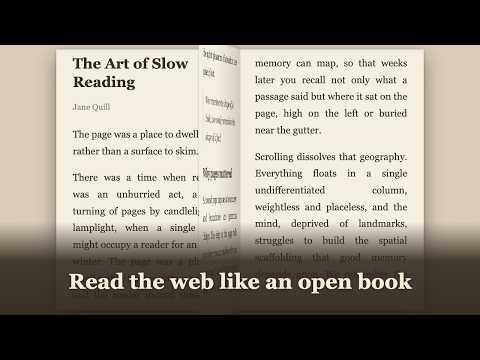
Read articles as a two-page book you flip with arrows. Image gallery for webtoons, manga, photos. Private, open source.
Open Book — Two-Page Reader View & Image Gallery is a distraction-free reader mode for Chrome, with a twist: instead of one plain column, it turns any long web article into a calm, two-page reading experience, like an open book laid right on top of the page. It's free, fully open source, and private by design: reading happens entirely in your browser, and nothing is ever sent to the developer. Click the toolbar icon and it picks the right view for the page automatically: the two-page reader for articles, the image gallery for picture-heavy pages. Or go straight to one — Alt+B always opens the reader, Alt+Shift+B always opens the gallery. Love reading a particular forum or manga site? Turn on per-site auto-open (right-click → Auto-open on this site) and its content pages open in reading mode by themselves — list and search pages stay untouched, Esc always closes, and one click turns it off again. Strictly opt-in, one site at a time. In the reader, it extracts the text with Mozilla Readability, strips away ads, sidebars, and clutter, and lays the story out as two facing pages you flip with the arrow keys. READING THAT FEELS LIKE A BOOK • Two-page open-book spread with a center spine — or switch to 3 or 4 columns per view • Flip with the arrow keys, Space, or PageUp/PageDown — or click the left/right page edges • Jump to the start or end with Home / End • Resumes right where you left off — reopen an article and you're back on the same page • A slim progress bar and an estimated reading time show how far you've come • Paper, Light, and Dark themes — or Auto, which follows your system light/dark mode • Adjustable font size and line height; serif or sans-serif • Fills the window by default, with an optional max width for a comfortable line length • Print the clean article — or save it as a tidy PDF — in one click (or press P) • Grabbed the wrong part of the page? Pick the exact block to read (or select text first), and save that choice per site • Controls auto-hide while you read and reappear when you move the mouse A SECOND MODE: IMAGE GALLERY • Press Alt+Shift+B to see every image on the page as a Pinterest-style masonry wall • Or switch to the Ordered layout, which reads images in sequence, row by row — slide the size to maximum for one page at a time: perfect for webtoons, manga, and step-by-step guides (each site remembers your layout) • Lazy-loaded images hydrate progressively as you scroll, so long pages fill in fully • Click any image for a full-screen lightbox with arrow-key navigation • Fit a tall page to the width and scroll through it in the lightbox (press F) • Optionally download a single image — or select several and save them as a ZIP • Hide avatars, badges, and other repeated noise — an automatic filter plus a per-site Hide with a live preview of what disappears PRIVATE BY DESIGN • The optional per-site auto-open decides entirely inside your browser too — it runs only on sites you explicitly choose • No accounts, no tracking, no analytics — nothing is ever sent to the developer • Article reading and extraction happen entirely in your browser • The only time it touches the network is when you click to download images from the gallery • Your settings sync across your own signed-in devices via Chrome's storage OPEN SOURCE — DON'T JUST TRUST US, VERIFY • The entire extension is on GitHub under the MIT license: https://github.com/kouxing2000/open-book-reader • No build step and no minification — third-party code (like Mozilla Readability) is vendored in readable form, so what's published is exactly what runs in your browser; read every line and confirm the privacy claims yourself • Found a bug or have an idea? Open an issue or a pull request Works as a clean reading view / reader view / reading mode for news articles, blog posts, documentation, and other long reads — a calm, private alternative to cluttered pages. Your reading, your pages. Slow down and enjoy the long form.
5 out of 53 ratings
Details
- Version1.13.2
- UpdatedOctober 12, 2026
- Size442KiB
- Languages12 languages
- DeveloperWebsite
Email
kouxing2000@gmail.com - Non-traderThis developer has not identified itself as a trader. For consumers in the European Union, please note that consumer rights do not apply to contracts between you and this developer.
Privacy

This developer declares that your data is
- Not being sold to third parties, outside of the approved use cases
- Not being used or transferred for purposes that are unrelated to the item's core functionality
- Not being used or transferred to determine creditworthiness or for lending purposes
Support
For help with questions, suggestions, or problems, visit the developer's support site