

Excali Up: Local Vault, Motion Effects & GIFs
1 rating
)
Overview
Auto-save drawings to local folders, animate GIFs and SVGs, add colorful arrow motion effects, and browse Iconify in Excalidraw.
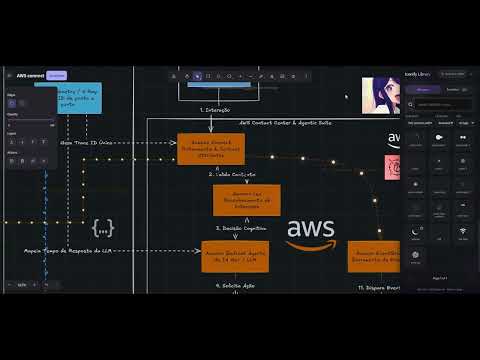
Excali Up adds a local drawing vault, motion effects for arrows and lines, animated GIF and SVG playback, and an icon library to Excalidraw (excalidraw.com). Check the codebase in: https://github.com/klysman08/Excaliup LOCAL VAULT • Choose a folder on your computer and your drawings are saved there automatically as standard .excalidraw files. • Organize drawings in folders, star favorites, see recent drawings, and search, rename, move, duplicate or delete them from a side panel. • Existing files are never overwritten by accident. ARROW AND LINE EFFECTS • Select an arrow or line and choose one of eight animated styles, such as particles, comet or pulse. • Adjust color, speed, direction, size, spacing and glow for each element. • Effects are saved with your drawing. ANIMATED GIFS AND SVGS • GIFs added to the canvas play in a loop, with adjustable speed. • Animated SVG icons keep their animation. ICON LIBRARY • Search Iconify's open-source icon collections and insert icons by clicking or dragging them onto the canvas. • Insert icons in your current stroke color, at small, medium or large size. PRIVACY Excali Up has no accounts, analytics or servers. Your drawings stay on your device. Icon searches go directly to the public Iconify API. HOW TO USE 1. Open excalidraw.com. 2. Click the Vault button next to the menu to connect a folder. 3. Select an arrow to add an effect, or press B to open the icon library.
5 out of 51 rating
Details
- Version5.6.0
- UpdatedOctober 26, 2026
- Offered byklysman08
- Size94.92KiB
- LanguagesEnglish
- Developer
Email
klysman.rk@gmail.com - Non-traderThis developer has not identified itself as a trader. For consumers in the European Union, please note that consumer rights do not apply to contracts between you and this developer.
Privacy

Excali Up: Local Vault, Motion Effects & GIFs has disclosed the following information regarding the collection and usage of your data. More detailed information can be found in the developer's privacy policy.
Excali Up: Local Vault, Motion Effects & GIFs handles the following:
This developer declares that your data is
- Not being sold to third parties, outside of the approved use cases
- Not being used or transferred for purposes that are unrelated to the item's core functionality
- Not being used or transferred to determine creditworthiness or for lending purposes
Support
For help with questions, suggestions, or problems, visit the developer's support site