

KiCad Parts Clipper Ngx

Overview
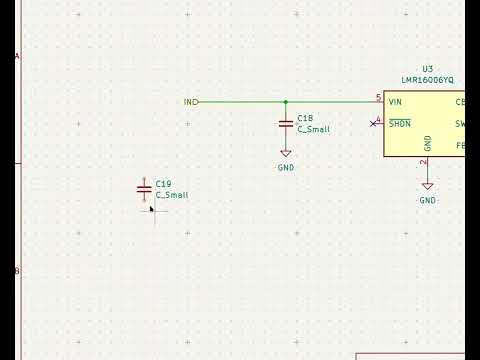
Copy component data from Digikey, Mouser, or LCSC directly into KiCad symbol clipboard format.
## Features - **Supported sites:** DigiKey, Mouser, and LCSC, including `digikey.de`, `mouser.de`, `digikey.com.br`, and `mouser.com.br`. - **Part data:** manufacturer part number, distributor part number (for example the Mouser part number), manufacturer, description, datasheet URL, unit price, quantity-100 price (MSRP), and matching quantity. - **Smart values:** formats resistance, capacitance, and inductance into KiCad-friendly values such as `4.7K`, `100nF`, and `10uH`. - **KiCad clipboard format:** copies rows in the symbol-fields TSV format, ready to paste into KiCad. - **Configurable fields:** enable or disable each row and rename its KiCad attribute in the settings page. - **On-page copy button:** appears near the product attributes so you can copy without opening the popup. On Mouser it sits in the product header next to the part number. - **Popup preview:** shows the extracted values and lets you copy from the toolbar popup. - **No data collection:** everything runs locally in the browser. ## Usage 1. Open a product page on a supported site. 2. Copy the data using either: - the **Copy to KiCad** button on the page, or - the toolbar icon, then **COPY TO KICAD**. 3. In KiCad, open the symbol properties/fields and paste the clipboard. 4. To choose which fields are copied or rename their attributes, open the extension settings (gear icon in the popup or the add-on's Options page).
0 out of 5No ratings
Details
- Version2.0.1
- UpdatedNovember 11, 2026
- Offered bymarcelrobitaille11@gmail.com
- Size42.33KiB
- LanguagesEnglish
- Developer
Email
kicad-parts-clipper-ngx@marcelrobitaille.me - Non-traderThis developer has not identified itself as a trader. For consumers in the European Union, please note that consumer rights do not apply to contracts between you and this developer.
Privacy

KiCad Parts Clipper Ngx has disclosed the following information regarding the collection and usage of your data. More detailed information can be found in the developer's privacy policy.
KiCad Parts Clipper Ngx handles the following:
This developer declares that your data is
- Not being sold to third parties, outside of the approved use cases
- Not being used or transferred for purposes that are unrelated to the item's core functionality
- Not being used or transferred to determine creditworthiness or for lending purposes
Support
For help with questions, suggestions, or problems, visit the developer's support site