

LexiSave
5.0(
2 ratings
)ExtensionEducation17 users

Overview
Instantly translate words and build your personal vocabulary effortlessly.
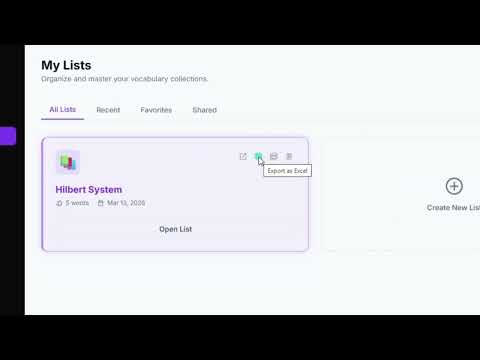
LexiSave helps you build your vocabulary while browsing the web. ✨ Features: - Double-click any word to instantly translate it - Save words to your personal vocabulary notebook - Organize words into custom lists - Track your learning progress - Supports 7 languages: English, Turkish, Spanish, German, French, Japanese, Arabic 🚀 How to use: 1. Install the extension 2. Login at lexisave.bddtechnology.com 3. Double-click any word on any webpage 4. See the translation and save it to your notebook 📚 Your words sync across all devices via your account.
5 out of 52 ratings
Details
- Version1.0.2
- UpdatedApril 13, 2026
- Offered byseref.altuntas.eA
- Size52.04KiB
- LanguagesEnglish
- Developer
Email
serafettinaltuntas@gmail.com - Non-traderThis developer has not identified itself as a trader. For consumers in the European Union, please note that consumer rights do not apply to contracts between you and this developer.
Privacy

Manage extensions and learn how they're being used in your organization
The developer has disclosed that it will not collect or use your data. To learn more, see the developer’s privacy policy.
This developer declares that your data is
- Not being sold to third parties, outside of the approved use cases
- Not being used or transferred for purposes that are unrelated to the item's core functionality
- Not being used or transferred to determine creditworthiness or for lending purposes