

VIDEO+: Ambient Light for Video
1 rating
)
Overview
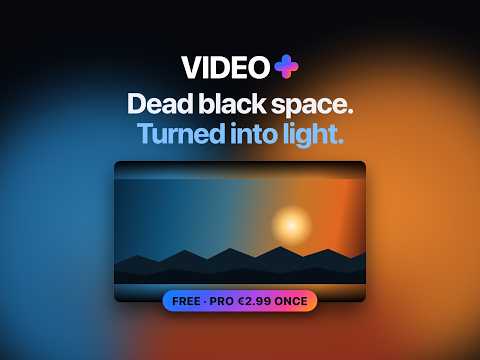
Dead black space around your video, turned into light. Fills the letterbox bars and spills a glow onto the page. No tracking.
Dead space. Turned into light. The black bars around your video fill with light read from the edge of the picture right beside them, and the rest spills onto the page. Both track the video live: an underwater scene turns the page blue, a fire scene turns it amber. The effect itself is free, on 28 video sites. Pro unlocks the full capabilities: • Auto AI: continuously adapts to the scene, adjusting exposure and response in real time, while a live readout shows what it sees. • Cinema: maximum immersion, the top of the scale. • Tune it yourself: effect, colour, softness and darkness, set anywhere you like. • Steady colour: cross-fades between scenes instead of following every cut, so fast cuts don't make the room flicker. • Per-site profiles: every site remembers the look you set for it, so a bright feed and a dark film can each have their own. • Every future Pro feature included. See all features running live, side by side, inside the free teaser panel before you buy. WHY CHOOSE VIDEO+ Most ambient extensions blur the whole frame and stretch it behind the player. VIDEO+ reads the picture's actual pixel edge on a 448 × 72 grid, so the light varies ALONG each bar — one end can be blue while the other is orange, instead of one muddy average. A truly black frame stays black instead of glowing grey. It also adapts to shape. A fullscreen film, a theatre-mode video, a small windowed player and a vertical clip are four different problems, and each is tuned separately. And it knows when to get out of the way: the light steps aside the moment the page moves, then eases back once things settle, so scrolling stays smooth. WHERE IT RUNS 28 video sites in total, covering mainstream video and streaming, social feeds, education platforms and workplace players. The panel tells you whether the site you are on is supported, and the full list is on the website linked below. Some services cannot be supported by any extension: where video is protected by DRM, the browser walls the picture off and no extension can read a pixel of it. Dimming still works there. TO ACTIVATE PRO Install VIDEO+ → Purchase Pro → Copy the licence key from your receipt → Open the VIDEO+ panel → Click Unlock Pro → Paste the key → Apply PRIVACY VIDEO+ asks Chrome for one thing: permission to save your settings on your own computer. To pick the right colour it looks at the video as it plays, on your machine, and throws what it saw away in the same instant. Nothing about what you watch is stored or sent anywhere. It reaches the internet once, and only if you buy Pro: when you paste your licence key, it asks the payment provider whether that key is real. Your key and the product ID go out, nothing else. No analytics. No tracking. No account. No sign-in. Feedback and site requests: pedroroselly10@gmail.com, or the link inside the panel.
5 out of 51 rating
Details
- Version5.26.0
- UpdatedOctober 13, 2026
- FeaturesOffers in-app purchases
- Offered byselly studio
- Size134KiB
- Languages9 languages
- DeveloperPedro Sanchez-Roselly
Calle del Factor, 14 Madrid, Madrid 28013 ESEmail
pedroroselly10@gmail.com - Non-traderThis developer has not identified itself as a trader. For consumers in the European Union, please note that consumer rights do not apply to contracts between you and this developer.
Privacy

VIDEO+: Ambient Light for Video has disclosed the following information regarding the collection and usage of your data. More detailed information can be found in the developer's privacy policy.
VIDEO+: Ambient Light for Video handles the following:
This developer declares that your data is
- Not being sold to third parties, outside of the approved use cases
- Not being used or transferred for purposes that are unrelated to the item's core functionality
- Not being used or transferred to determine creditworthiness or for lending purposes
Support
For help with questions, suggestions, or problems, visit the developer's support site