

Oddity1
1 rating
)
Overview
Annotation layer on top of your LLM conversation, amplifying your critical thinking.
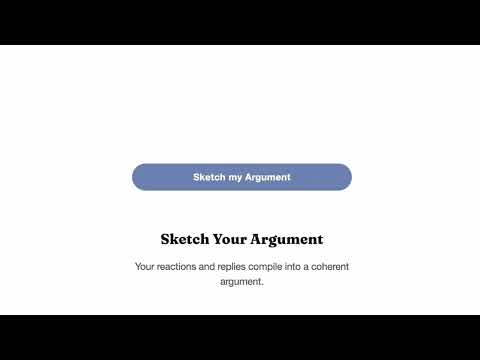
Use AI. Know What To Throw Away. Oddity 1 is an annotation layer on top of your LLM conversation, amplifying your critical thinking. How It Works 1. Screen-level, not another chatbot. Oddity 1 sits on top of any text, like Grammarly, but for comprehension. As a Chrome extension, it works on ChatGPT, Gemini, Google Docs, PDFs, and anywhere you read. No copy-paste. No tab switching. 2. Annotations that provoke, not inform. The best annotations, the kind that professors leave in margins, never explain the text, and surprisingly, it makes you read faster and smarter at the same time. Oddity 1 works the same way, annotations as provocations, not merely summaries or additional information. 3. Compile annotations into your argument. Your reactions and annotations automatically get compiled into a cohesive argument. We never generate arguments for you. It’s your voice in the result, not the AI’s. 4. Three Annotation Personas The system has three distinct annotator personas, each with a different cognitive focus. - Terry: Critical thinking. Operates like a surgical postdoc doing peer review. Specialized in decision-making and evaluating arguments. - Jerry: Creativity and metacognition catalyst. A “fascinated outsider” personality that pushes you to think differently. - Sally: Teacher mode. Elicits memory and understanding through engagement rather than passive reading. What can I do with Oddity 1? - Write with Oddity 1: Turn scattered reactions into a structured argument without losing your own voice. The Sketch feature ghostwrites from your annotations, so the output sounds like you, not AI’s. - Read with Oddity 1: Move through dense material faster by engaging with it instead of passively scanning. Marginal provocations force you to decide what matters and what to throw away. - Brainstorm with Oddity 1: Break out of familiar patterns. Provocations from multiple angles surface connections you wouldn’t reach on your own. Why do I have to use Oddity 1? There’s an interesting experiment: give two people the exact same AI tool, and one gets sharper while the other gets worse. The difference is how well they filter the output. Critical thinking. That’s what we give. Who uses Oddity 1? Students writing research papers who want to use AI without outsourcing their thinking. Researchers processing large volumes of text who need to stay critical, not passive. Writers drafting arguments who want a sparring partner, not a ghostwriter. Anyone who works with AI daily and wants to stay in the driver’s seat. Need Help? Email us - hello@oddity1.com Connect with Us LinkedIn: https://www.linkedin.com/company/oddity1 Instagram: https://www.instagram.com/tryoddity1/ Website: https://www.oddity1.com/ Plans and Pricing - Free Plan: Your personal critical thinking companion. Includes access to the Terry and Jerry annotation styles, the ability to create and save your own annotations, export annotated webpages to PDF, and a limited number of monthly annotations. - Standard Plan: Everything in Free, plus higher annotation limits, advanced AI-powered annotations, PDF annotation, tools to turn your annotations into structured arguments, and full access to all annotation styles including Sally. Visit oddity1.com for current pricing.
5 out of 51 rating
Details
- Version0.1.2
- UpdatedApril 6, 2026
- FeaturesOffers in-app purchases
- Offered byOddity1
- Size907KiB
- LanguagesEnglish
- DeveloperI Build X, Inc.
56 Masterson Irvine, CA 92602 USEmail
tpark@oddity1.comPhone
+1 773-313-5163 - TraderThis developer has identified itself as a trader per the definition from the European Union and committed to only offer products or services that comply with EU laws.
Privacy

Oddity1 has disclosed the following information regarding the collection and usage of your data. More detailed information can be found in the developer's privacy policy.
Oddity1 handles the following:
This developer declares that your data is
- Not being sold to third parties, outside of the approved use cases
- Not being used or transferred for purposes that are unrelated to the item's core functionality
- Not being used or transferred to determine creditworthiness or for lending purposes
Support
For help with questions, suggestions, or problems, please open this page on your desktop browser