


Overview
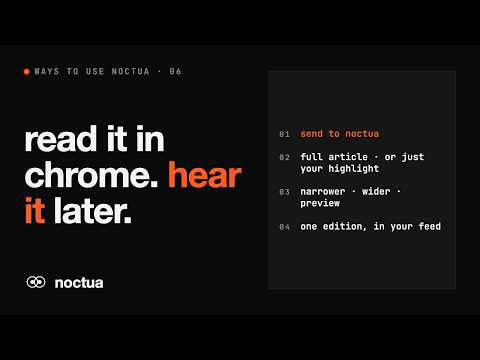
Send the article you're reading, or just the text you've highlighted, to your Noctua podcast feed.
Turn what you read into something you can listen to. Noctua converts articles and text into natural-sounding audio and delivers it to your own private podcast feed. This extension sends whatever you're reading straight to Noctua, so you can listen to it later on a walk, on the commute or at the gym. HOW IT WORKS • Click the Noctua icon on any article. The extension finds the main text and leaves out menus, ads and sidebars. • Not quite right? Make the selected area narrower or wider, and check the preview before you send. • Only want part of a page? Highlight the text, right-click and choose "send selection to noctua". • Edit the episode title if you like, then send. It'll be in your feed shortly. LISTEN ANYWHERE Your Noctua feed works in the podcast app you already use, including Apple Podcasts, Pocket Casts and Overcast. GETTING STARTED 1. Sign in at cast.noctua.uno and create a personal API key in Settings. 2. Open the extension's settings and paste in your key. 3. Open an article and click "send to noctua". PRIVACY • The extension reads a page only when you click its icon or choose "send selection to noctua". It doesn't track your browsing. • Only the text you choose to send goes to Noctua, to be converted into audio. • Your API key is stored on this device only and is never synced. Requires a Noctua account. Pay as you go, with no subscription.
0 out of 5No ratings
Details
- Version0.1.0
- UpdatedOctober 28, 2026
- Size35.64KiB
- LanguagesEnglish
- Developer
- Non-traderThis developer has not identified itself as a trader. For consumers in the European Union, please note that consumer rights do not apply to contracts between you and this developer.
Privacy

Noctua has disclosed the following information regarding the collection and usage of your data. More detailed information can be found in the developer's privacy policy.
Noctua handles the following:
This developer declares that your data is
- Not being sold to third parties, outside of the approved use cases
- Not being used or transferred for purposes that are unrelated to the item's core functionality
- Not being used or transferred to determine creditworthiness or for lending purposes
Support
For help with questions, suggestions, or problems, please open this page on your desktop browser