

Keyboard Surfing
24 lượt xếp hạng
)
Tổng quan
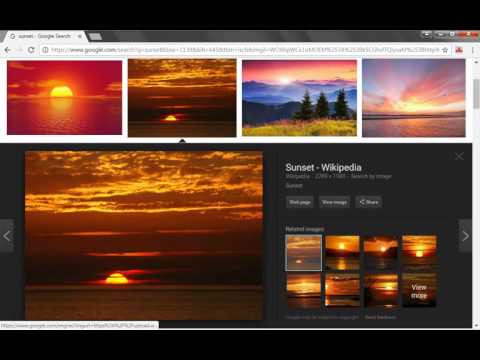
Web browsing with keyboard, no need to use a mouse. Smart cursor-based keyboard navigation and control. Go mouseless today!
Keyboard Surfing provides a keyboard-controlled pointer on web pages, to avoid using a mouse for web browsing. Keyboard shortcuts for navigation are arranged like the common arrow keys. No ads, no spyware. The pointer can be moved to nearby links by pressing the up, down, left and right keys. Keyboard Surfing automatically selects nearby links on the page. Three sets of shortcut keys are provided for navigation and control: the numpad set, the left-hand set and the right-hand set. Additional functions include: smooth scrolling, open links in new tab and in new window, close windows and tabs, go to homepage. *NOTE* Chrome has some alarmist messaging around the permissions that Keyboard Surfing needs to run. Don't be alarmed. Keyboard Surfing needs to inspect every page you visit (to find links), therefore it must be able to read all the pages you visit. Keyboard Surfing needs to inject a few elements into web pages (the javascript code, the cursor, the red box and the help screen). Any other parts of the visited page will remain unmodified. Keyboard Surfing does not log, store, or transmit to anyone any of your data or the data about web pages you visit. Keyboard Surfing does not send any data at all. **********NOTE********** - Press 'Pause' key on keyboard to enable or disable this extension. - This extension is available for Chrome and Firefox browsers. Right-handed keyset: i, k up, down j, l left, right u scroll up m scroll down y scroll up half page b scroll down half page h open a link in the current tab or window n open a link in a new tab or window 0 new browser window p show the help page for a list of all keys space smooth scrolling mode Numpad keyset: 8, 5 up, down 4, 6 left, right 7 scroll up 1 scroll down n.Enter open a link in the current tab or window n.plus open a link in a new tab or window 2 go back in history 3 go forward in history n.multiply new browser window decimal show the help page for a list of all keys 0 smooth scroling mode Only the most common commands are listed. For additional commands, consult the built-in help page. Note: Google does not allow extensions to run on built-in Chrome pages.
3,8/524 lượt xếp hạng
Chi tiết
- Phiên bản1.3.23
- Đã cập nhật17 tháng 12, 2018
- Nhà cung cấpSomnia
- Kích thước37.7KiB
- Ngôn ngữEnglish
- Người bán phi thương mạiNhà phát triển này không tự nhận mình là người bán. Đối với người tiêu dùng ở Liên minh Châu Âu, xin lưu ý rằng các quyền của người tiêu dùng không được áp dụng trong hợp đồng giữa bạn và nhà phát triển này.
Quyền riêng tư

Hỗ trợ
Nếu bạn có câu hỏi, ý kiến đề xuất hoặc gặp vấn đề, vui lòng mở trang này bằng trình duyệt dành cho máy tính để được trợ giúp