

Extroid – Phone Webcam for Browser Calls

Overview
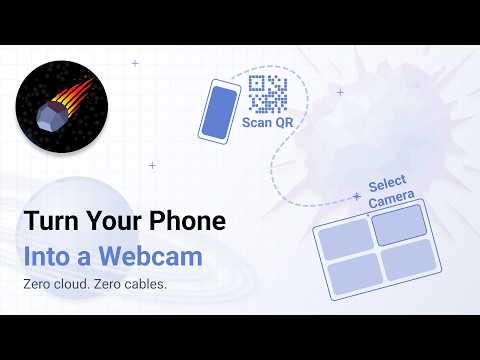
Use your phone as a camera for browser video calls. No drivers, no cables, no phone app install.
Extroid helps you replace a weak built-in laptop webcam with your phone camera. Pair your phone with a QR code, open a browser-based video call, and select Extroid Camera in the camera settings. ━━━━━━━━━━━━━━━━━━━━━━ 📸 WHY EXTROID? Your phone camera is often better than your laptop webcam: sharper image, better autofocus, and better low-light quality. Extroid brings your phone camera into compatible browser video calls without drivers, cables, or a phone app install. It is designed for Google Meet, Zoom Web, and other browser-based services that use standard camera selection in Chrome. ━━━━━━━━━━━━━━━━━━━━━━ ✨ FEATURES 📱 Phone camera quality Use your smartphone camera instead of a grainy built-in webcam. 🔗 Fast QR pairing Create a QR code in the extension, scan it with your phone, and allow camera access. 🧩 No drivers or desktop app Extroid works inside the browser. It does not install a system webcam and does not require administrator permissions. 📵 No phone app install The phone side opens as a mobile web page. You do not need to install an app from a mobile app store. 🎥 Extroid Camera in browser calls After pairing, select Extroid Camera in the camera settings of a compatible browser video call. 🔒 No cloud video storage Extroid does not store your video. Service data is used only for pairing devices and making the connection work. ━━━━━━━━━━━━━━━━━━━━━━ 🚀 HOW IT WORKS 💻 On your computer: 1️⃣ Click the Extroid icon in toolbar 2️⃣ Sign in with Google 3️⃣ Click “Create QR” to generate a pairing code 📱 On your phone: 4️⃣ Scan the QR code with your phone camera 5️⃣ Open the link in your browser 6️⃣ Allow camera access 🎥 In your browser video call: 7️⃣ Open Google Meet, Zoom Web, or another compatible browser-based service 8️⃣ Select Extroid Camera in camera settings 9️⃣ You are in frame ━━━━━━━━━━━━━━━━━━━━━━ 🔐 WHY GOOGLE SIGN-IN? Extroid uses your Google account to temporarily exchange service data between your browser and your phone. This is used for device pairing and connection setup. Extroid does not use your email as a product feature and does not access the contents of your emails. ━━━━━━━━━━━━━━━━━━━━━━ 🔧 REQUIREMENTS ▪️ Computer: Chrome is recommended. ▪️ Phone: Android with Chrome is recommended. ▪️ Video call: browser version of the service. ▪️ Network: both devices must be able to establish a direct connection. Important: Extroid does not create a system-wide webcam. It does not work as a camera for OBS, Zoom Desktop, Teams Desktop, or other native desktop apps. Compatibility guide: https://extroid.alittle.pro/compatibility ━━━━━━━━━━━━━━━━━━━━━━ 🔒 PRIVACY Extroid is built for browser video calls without desktop drivers and without a system-level virtual camera. Important details: ▪️ Extroid does not store your video. ▪️ Video is not used for analytics. ▪️ Service data is used for device pairing. ▪️ Analytics and error reports help diagnose connection problems and improve the product. ▪️ Feedback data is used only for support and product improvement. Privacy policy: https://extroid.alittle.pro/privacy ━━━━━━━━━━━━━━━━━━━━━━ 📶 TROUBLESHOOTING If your phone does not connect: ▪️ Make sure the phone link opens in Chrome ▪️ Allow camera access ▪️ Close other apps that may be using the camera ▪️ Try another Wi-Fi network ▪️ If the network blocks direct connections, try using your phone as a hotspot ━━━━━━━━━━━━━━━━━━━━━━ 🚧 ACTIVE DEVELOPMENT Extroid is actively developed. If something does not work as expected, send feedback through the extension or support page. Your phone camera is already better. Use it in browser video calls.
5 out of 51 rating
Details
- Version0.0.36
- UpdatedAugust 25, 2026
- Size311KiB
- Languages7 languages
- DeveloperWebsite
Email
zhelonkin.ru@gmail.com - Non-traderThis developer has not identified itself as a trader. For consumers in the European Union, please note that consumer rights do not apply to contracts between you and this developer.
Privacy

This developer declares that your data is
- Not being sold to third parties, outside of the approved use cases
- Not being used or transferred for purposes that are unrelated to the item's core functionality
- Not being used or transferred to determine creditworthiness or for lending purposes
Support
For help with questions, suggestions, or problems, please open this page on your desktop browser