


Overview
Keeps each browsing session on the intention you set. AI checks each page against it.
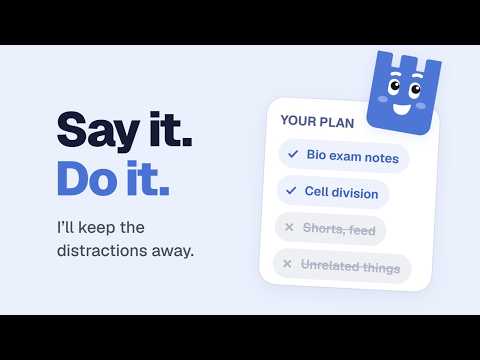
Keeptoit keeps you on the thing you sat down to do. Plan a focus session, say what it is for (e.g. "linear algebra, chapter 4"), with the topics it covers (e.g. “eigenvalues”, “diagonalization”) and Keeptoit checks every page you open and every search you make against it. A page that fits opens. A page that doesn't goes to a blocked page, and you can save it to Do Later for after. • Sessions and a calendar: plan blocks ahead, with breaks, free days and a weekly goals plan. • Page checks by intention, not by a blocklist: a video about the lecture opens; a video about something else doesn't. Always-allowed sites are never checked. • Strict mode, when you want it hard to cheat: windows you can't leave, and an honest log of every override. • Time tracking and stats: where your time went and how much of it stayed on topic, day by day and week by week, with goal alignment, streaks and achievements. • Do Later: blocked pages, searches and quick notes are kept for when your focus block is done. • Your new tab: ready-made layouts, your shortcuts and your own photos as polaroids, arranged however you like. • Keyboard shortcuts for everything. What is sent: during a focus block, Keeptoit sends the page's address, title and short description (or your search words) with the block's topics to Keeptoit's server, which asks an AI model whether it fits. Nothing about the page is stored by the server, and Keeptoit asks you before it sends anything, with the details on screen. Your sessions, goals, history and settings stay in your browser. You can use your own AI provider key instead, and then nothing goes through Keeptoit's server. Privacy: https://keeptoit.com/privacy Free to use. Pro (paid, sold by Keeptoit through Lemon Squeezy, not by Google) adds more AI checking time and features. New tab: Keeptoit replaces Chrome's new tab page with its session screen. On days off, and outside a session if you pick "Only during a session" (Settings → Sessions → New tabs), it shows your own new tab instead, which you can make your own. Chrome asks once whether to keep it; keep it for the best experience. (In Google Chrome, Settings → Sessions → New tab page can also send new tabs on to Chrome's own page.) Using Edge? Edge turns off any extension that changes the new tab page the first time, and asks you to check it. Press Turn on in Edge's message (or switch Keeptoit on in edge://extensions). More: https://keeptoit.com/help#q-edge
5 out of 56 ratings
Details
- Version1.84.47
- UpdatedNovember 20, 2026
- FeaturesOffers in-app purchases
- Size4.57MiB
- LanguagesEnglish
- DeveloperWebsite
Email
alekgj.dev@gmail.com - Non-traderThis developer has not identified itself as a trader. For consumers in the European Union, please note that consumer rights do not apply to contracts between you and this developer.
Privacy

Keeptoit has disclosed the following information regarding the collection and usage of your data. More detailed information can be found in the developer's privacy policy.
Keeptoit handles the following:
This developer declares that your data is
- Not being sold to third parties, outside of the approved use cases
- Not being used or transferred for purposes that are unrelated to the item's core functionality
- Not being used or transferred to determine creditworthiness or for lending purposes