

KeepTabs
ExtensionWorkflow & Planning8 users

Overview
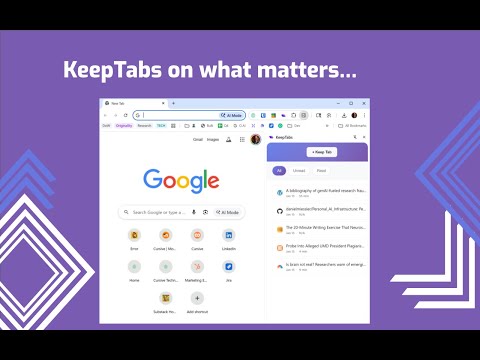
Keep tabs on your reading - save articles, highlights, and notes for later
KeepTabs on what matters. 🔊 Turn any article into a podcast with Google TTS integration. 💾 Save any tab to read later, add comments, and stay on top of your reading list. 📖 Highlight text on any page and right click to save the tab and quote automatically. 📊 Mark as Read and keep track of reading time day by day and week to week. This app is great for those who want to save articles and quotes, and consume a lot of information on the go.
0 out of 5No ratings
Details
- Version2.1.1
- UpdatedJanuary 29, 2026
- Offered byCursive
- Size59.71KiB
- LanguagesEnglish (United States)
- DeveloperJoseph Thibault
2600 E Baltimore St Baltimore, MD 21224-1129 USEmail
contact@cursivetechnology.comPhone
+1 410-231-3323 - TraderThis developer has identified itself as a trader per the definition from the European Union and committed to only offer products or services that comply with EU laws.
Privacy

Manage extensions and learn how they're being used in your organization
The developer has disclosed that it will not collect or use your data. To learn more, see the developer’s privacy policy.
This developer declares that your data is
- Not being sold to third parties, outside of the approved use cases
- Not being used or transferred for purposes that are unrelated to the item's core functionality
- Not being used or transferred to determine creditworthiness or for lending purposes
Support
For help with questions, suggestions, or problems, please open this page on your desktop browser