

Ali Coupon Collector
28 ratings
)
Overview
Автоматичний збір купонів Ali Express та актуальні промокоди.
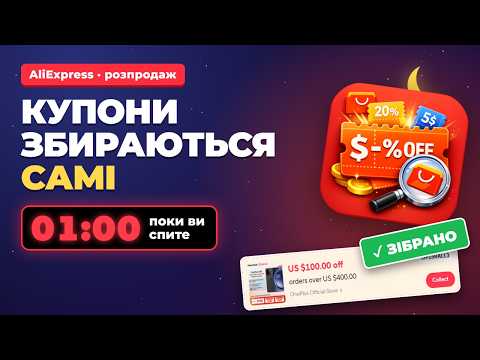
Ali Coupon Collector — це розширення для Google Chrome, яке допомагає автоматизувати збір доступних купонів на сторінці центру купонів AliExpress, а також застосовувати промокоди на старті розпродажів. Розширення створене для української спільноти користувачів телеграм-каналу @ZnyzhkaUA, які регулярно стежать за знижками, акціями, купонами та спеціальними пропозиціями на AliExpress і хочуть спростити рутинний процес збору купонів. Це не офіційний продукт AliExpress чи Alibaba Group. Як працює збір купонів: Після натискання на іконку розширення автоматично відкривається сторінка купонів AliExpress (або використовується вже відкрита вкладка). Розширення прокручує сторінку, щоб підвантажити всі доступні блоки, знаходить кнопки отримання купонів (розпізнає їх різними мовами інтерфейсу AliExpress) і натискає їх по черзі з випадковими за тривалістю паузами — як це робила б людина. Наприкінці виконується додаткова перевірка сторінки, а користувач бачить повідомлення із загальною кількістю зібраних купонів. Процес можна зупинити в будь-який момент, а якщо AliExpress показує CAPTCHA чи перевірку безпеки, розширення зупиняється саме й ніколи не намагається її обійти. Промокоди розпродажу (окрема функція): На сторінці оформлення замовлення розширення може по черзі підставляти ваші промокоди в поле «Promo codes» і натискати «Apply», показуючи результат для кожного коду окремо. Запуск можна запланувати на точний час початку розпродажу — розширення звіряє час із сервером точного часу і стартує саме в потрібну мить. Функція працює з будь-яким товаром, який ви самі відкрили, без прив'язки до конкретного партнерського посилання. Свої коди можна редагувати в панелі — розширення їх запам'ятовує. Важливо: розширення ніколи не натискає кнопку «Pay now» і не завершує покупку. Воно лише вставляє коди й читає результат застосування — рішення оформити замовлення завжди залишається за користувачем. Партнерські посилання — прозоро і під вашим контролем: Частина кнопок у меню розширення (центр купонів, два закріплені товари) відкриваються через партнерське посилання AliExpress і позначені значком 🔗. Це працює так: - партнерське посилання відкривається лише після того, як користувач сам натиснув відповідну кнопку — ніколи автоматично, у фоні чи без взаємодії; - один і той самий партнерський перехід не повторюється частіше ніж раз на 24 години, навіть при повторних кліках — жодного «накручування» партнерських кукі при кожному запуску; - якщо сторінка центру купонів уже відкрита у вкладці, розширення продовжує роботу в ній, без нового переходу за посиланням; - партнерські посилання можна повністю вимкнути одним перемикачем у нижній частині меню розширення — після цього всі кнопки завжди відкривають звичайні, непартнерські сторінки AliExpress, а розширення продовжує працювати так само; - кнопка «Ваш товар» для збору купонів розпродажу взагалі не використовує партнерське посилання — вона працює з тим товаром, який відкрив сам користувач. Якщо покупка відбувається після переходу за партнерським посиланням, Skidkovoz може отримати комісію від AliExpress. Ціна для покупця при цьому не змінюється. Останні пости Skidkovoz: У меню розширення показується невелика карусель останніх публікацій зі сайту Skidkovoz (фото, заголовок, посилання) — щоб бачити нові добірки й акції, не заходячи окремо на сайт. Це лише перегляд: жодних push-сповіщень розширення не показує. Переваги й для кого це розширення: Економія часу, менше рутинних ручних кліків, простий запуск в один клік без складних налаштувань, повний контроль над партнерськими посиланнями. Підходить тим, хто регулярно шукає купони AliExpress, стежить за розпродажами й хоче встигнути застосувати промокоди на старті акції, а також учасникам української спільноти знижок. Що потрібно знати перед використанням: Наявність купонів і промокодів, їх доступність та успішність активації залежать від самої платформи AliExpress, регіону, стану акаунта та поточних акцій — розширення цього не гарантує й не впливає на правила чи алгоритми AliExpress. Не рекомендується зловживати частим або багаторазовим запуском: надмірна активність може призвести до тимчасових обмежень акаунта з боку AliExpress. Використовуйте автоматизацію помірно, без повторних циклів поспіль. Розширення не збирає та не передає на сервер дані акаунта AliExpress, cookies, паролі чи дані замовлення. Одразу після встановлення відкривається коротка сторінка з поясненням, як користуватись розширенням і як воно заробляє. Детальний опис того, які дані обробляються і як, — у політиці конфіденційності нижче. Корисні посилання: - сайт розширення з детальним описом функцій: https://ext.skidkovoz.com/ - політика конфіденційності: https://ext.skidkovoz.com/privacy_aliexpress_coupon_collector.php - спільнота в Telegram (питання, пропозиції, відгуки, повідомлення про помилки): https://t.me/+mqbvFi8QaGs4NTYy - Telegram-канал знижок: @ZnyzhkaUA English Ali Coupon Collector is a Google Chrome extension that helps automate collecting available coupons on the AliExpress coupon center page, and applying promo codes right at the start of a sale. The extension was built for the Ukrainian community around the @ZnyzhkaUA Telegram channel, who regularly follow AliExpress discounts, deals, coupons and special offers and want to simplify the routine coupon-collecting process. It is not an official AliExpress or Alibaba Group product. How coupon collection works: Clicking the extension icon opens the AliExpress coupon page automatically (or reuses an already open tab). The extension scrolls the page to load all available blocks, finds the coupon-collection buttons (recognized across several AliExpress interface languages) and clicks them one by one with randomized pauses — the way a person would. At the end it does one more pass over the page, and the user sees a message with the total number of coupons collected. The process can be stopped at any time, and if AliExpress shows a CAPTCHA or a security check, the extension stops itself and never tries to bypass it. Sale promo codes (a separate feature): On the checkout page, the extension can enter your promo codes into the "Promo codes" field one by one and click "Apply", showing the result for each code separately. The start can be scheduled for the exact moment a sale begins — the extension syncs with a time server and starts right on time. This feature works with any product you opened yourself, without being tied to a specific affiliate link. Your codes can be edited in the panel — the extension remembers them. Important: the extension never clicks "Pay now" and never completes a purchase. It only enters codes and reads back the result — the decision to place an order always stays with the user. Affiliate links — transparent and under your control: Some buttons in the extension menu (the coupon center, two pinned products) open through an AliExpress affiliate link and are marked with a 🔗 icon. Here is how that works: - an affiliate link opens only after the user clicks the corresponding button — never automatically, in the background, or without interaction; - the same affiliate redirect does not repeat more than once every 24 hours, even on repeated clicks — no "stacking" of affiliate cookies on every run; - if the coupon center page is already open in a tab, the extension keeps working in that tab instead of navigating again through the affiliate link; - affiliate links can be turned off completely with a single switch at the bottom of the extension menu — after that, every button always opens the regular, non-affiliate AliExpress page, and the extension keeps working the same way; - the "Your product" button for sale coupon collection never uses an affiliate link at all — it works with whatever product the user opened. If a purchase happens after following an affiliate link, Skidkovoz may earn a commission from AliExpress. The price for the buyer does not change. Latest Skidkovoz posts: The extension menu shows a small carousel of the latest posts from the Skidkovoz website (photo, title, link) — so you can see new deals and roundups without visiting the site separately. This is a preview only: the extension does not show any push notifications. Benefits and who it's for: Saves time, fewer routine manual clicks, a simple one-click start with no complicated setup, and full control over affiliate links. Suits anyone who regularly looks for AliExpress coupons, follows sales and wants to apply promo codes right when a sale starts, as well as members of the Ukrainian deals community. What to know before using it: Whether coupons and promo codes are available, and whether activation succeeds, depends on the AliExpress platform itself, region, account state and current promotions — the extension does not guarantee this and has no influence on AliExpress rules or algorithms. Avoid running the extension too often or repeatedly: excessive activity may lead to temporary account limits from AliExpress. Use the automation in moderation, without repeated cycles back to back. The extension does not collect or send your AliExpress account data, cookies, passwords or order details to any server. Right after installation, a short welcome page opens explaining how to use the extension and how it earns money. See the privacy policy below for full details on what data is processed and how. Useful links: - extension website with a detailed feature overview: https://ext.skidkovoz.com/ - privacy policy: https://ext.skidkovoz.com/privacy_aliexpress_coupon_collector.php - Telegram community (questions, suggestions, feedback, bug reports): https://t.me/+mqbvFi8QaGs4NTYy - Telegram deals channel: @ZnyzhkaUA
4.3 out of 528 ratings
Details
- Version1.5.0
- UpdatedOctober 6, 2026
- Offered byZnyzhkaUA
- Size70.0KiB
- Languagesукраїнська
- Developer
Email
dev.mnx@gmail.com - Non-traderThis developer has not identified itself as a trader. For consumers in the European Union, please note that consumer rights do not apply to contracts between you and this developer.
Privacy

This developer declares that your data is
- Not being sold to third parties, outside of the approved use cases
- Not being used or transferred for purposes that are unrelated to the item's core functionality
- Not being used or transferred to determine creditworthiness or for lending purposes
Support
For help with questions, suggestions, or problems, please open this page on your desktop browser