


Overview
A faster way to manage LinkedIn messages. Keyboard shortcuts, labels, and a clean inbox experience.
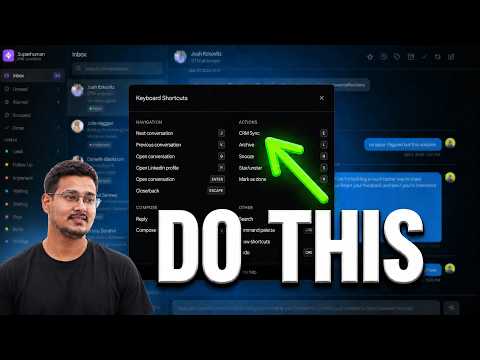
Manage LinkedIn messages and sync conversations to Attio. SuperLinkIn is a LinkedIn inbox and Attio CRM integration for organizing messages, managing follow-ups, and keeping conversation context connected to your contacts. LinkedIn conversations become difficult to manage when prospects, candidates, replies, and follow-ups all share the same inbox. SuperLinkIn gives you a focused workspace for processing messages and keeping track of what needs your attention. What you can do: - Move through conversations with keyboard shortcuts - Organize messages with custom labels - Snooze conversations until it is time to follow up - Star important threads and mark completed conversations as done - Save reusable replies for messages you send often - Search your inbox and focus on the conversations that matter - Sync one-to-one LinkedIn conversations to Attio Attio integration: Connect your Attio workspace and match people using their LinkedIn profile. SuperLinkIn can save available conversation messages, sender names, timestamps, and profile context as a note on the correct Attio person record. Sync a conversation manually when you need it, or enable automatic sync for conversations you open. Attio conversation sync currently supports one-to-one conversations. SuperLinkIn is built for founders, salespeople, recruiters, and anyone who manages important professional relationships through LinkedIn. SuperLinkIn helps you stay on top of replies and follow-ups. It does not automate messages or send connection requests for you. Install SuperLinkIn, open LinkedIn, and start organizing your inbox.
5 out of 51 rating
Details
- Version1.1.20
- UpdatedSeptember 29, 2026
- Size197KiB
- LanguagesEnglish
- DeveloperWebsite
Email
helloanishjain@gmail.com - Non-traderThis developer has not identified itself as a trader. For consumers in the European Union, please note that consumer rights do not apply to contracts between you and this developer.
Privacy

This developer declares that your data is
- Not being sold to third parties, outside of the approved use cases
- Not being used or transferred for purposes that are unrelated to the item's core functionality
- Not being used or transferred to determine creditworthiness or for lending purposes
Support
For help with questions, suggestions, or problems, please open this page on your desktop browser