

ProfVault: Job Application Autofill for LinkedIn, Workday, Greenhouse

Overview
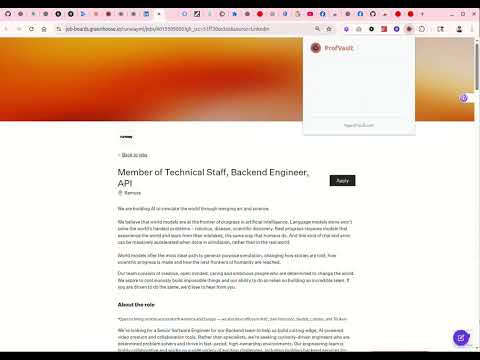
One-click autofill for LinkedIn, Indeed, Workday, Greenhouse, Lever & 100+ ATS sites. AI builds your profile from your resume.
Stop retyping your resume into every job application. ProfVault is a smart job application filler that auto-fills forms on 100+ job boards and ATS platforms in one click — using AI to understand any field on any application form, no setup required. Upload your resume once. Apply to 50 jobs in the time it used to take 5. What it does 🎯 One-click auto-fill — Click the ProfVault icon on any job application page. Every field — name, contact, work history, education, EEO questions, custom screener questions — fills automatically. 🧠 AI that actually understands your resume — Powered by RAG-based semantic field matching. ProfVault knows that "Years of Python experience" and "How long have you used Python?" are the same question. 📄 AI resume + cover letter builder — Generate tailored resumes and cover letters from your stored profile in seconds. Export to PDF or Word. 📊 ATS match score — Before you apply, see how well your resume matches the job description. Find the skill gaps. Fix them. 🎤 AI interview prep — Get ready for each round: recruiter, technical, behavioral, and company-specific questions tailored to the job, with model answers and audio practice. 🔍 Company deep research — Web-grounded briefings on any employer before you interview: recent news, leadership direction, and what they're really looking for. 🔗 LinkedIn profile optimizer — Turn your profile into a recruiter magnet with AI-suggested headline, about, and experience rewrites. 🗂️ Document vault — Store certificates, IDs, degrees, recommendation letters. Organized, searchable, encrypted. 📈 Job application tracker — Kanban board for everything you've applied to. Status, salary, notes, ATS scores, all in one place. Why ProfVault vs. the alternatives vs LinkedIn Easy Apply — Works on every ATS, not just LinkedIn-hosted jobs. Fills custom screener questions LinkedIn can't. vs Simplify — Open about how it works (RAG + your data, not a black box). $49/year all-in instead of $30/month. vs Teal — Includes the auto-fill, not just a tracker. 6× cheaper for the same job-hunt window. Pricing Try 3 form auto-fills free — no credit card, full product. Upgrade to ProfVault Pro at $49/year for unlimited auto-fill, AI resume + cover letter generation, ATS match scoring, interview prep, and 120 AI credits/year. That's $4/month, not $30 — pay once a year, not on a meter. Regional: ₹1,499/year in India, €45/year in the EU (taxes included). Privacy first Your documents are encrypted at rest. ProfVault never sells your data. We never apply to jobs on your behalf without you clicking "Fill." Privacy policy: myprofvault.com/privacy Get started Install the extension (free, 30 seconds). Create your account at myprofvault.com (no credit card). Upload your resume. AI extracts everything. Open a job application. Click ProfVault. Done. Questions? support@myprofvault.com Category: confirm it's set to Productivity (Workflow & Planning) — leave as-is if it already is. Keywords / search-terms field (only if your listing has one — many don't in the current dashboard): set it to: job application autofill, autofill resume, ats resume, ats score checker, ats match checker, resume keyword scanner, cover letter generator, ai resume builder, ai cover letter, interview prep, interview questions, company research, linkedin profile optimizer, job tracker, job application tracker, kanban job board, smart job application, one-click apply, fill job application, automate job application, job search tools, autofill chrome extension, resume autofill extension, job autofill extension, profvault
0 out of 5No ratings
Details
- Version2026.10.8.1559
- UpdatedOctober 8, 2026
- Size155KiB
- LanguagesEnglish
- DeveloperKalyana Chakravarthy SettyWebsite
25 E Center St APT 66 North Salt Lake, UT 84054-2838 USEmail
skchakri@gmail.comPhone
+1 801-608-3457 - TraderThis developer has identified itself as a trader per the definition from the European Union and committed to only offer products or services that comply with EU laws.
Privacy

ProfVault: Job Application Autofill for LinkedIn, Workday, Greenhouse has disclosed the following information regarding the collection and usage of your data. More detailed information can be found in the developer's privacy policy.
ProfVault: Job Application Autofill for LinkedIn, Workday, Greenhouse handles the following:
This developer declares that your data is
- Not being sold to third parties, outside of the approved use cases
- Not being used or transferred for purposes that are unrelated to the item's core functionality
- Not being used or transferred to determine creditworthiness or for lending purposes
Support
For help with questions, suggestions, or problems, please open this page on your desktop browser