


Overview
Katy's forecast, options levels, whale flow, news and QS Trend channels on your TradingView charts.
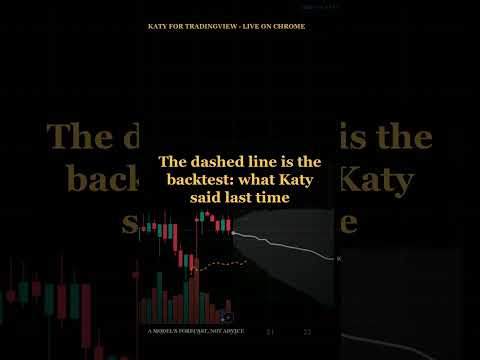
KATY draws its price forecast on the TradingView chart you already trade from. Open a chart and KATY follows its symbol and timeframe. On the chart it draws: • the forward path: green for BUY, red for SELL, grey for NEUTRAL • a ±1σ / ±2σ band from Katy's own backtest error, widened with the horizon • the backtest line: what Katy predicted over the recent past • an end label with the call and the expected move A small panel shows the call, the target and its date, the path range, the band width and when the forecast was made. Each layer can be turned on or off, and the panel can be dragged or collapsed. Coverage: US stocks and ETFs, major crypto pairs, and the SPX and NDX indices (through their ETF proxies, rescaled onto the index). Futures and forex are not covered. The forecasts are the same as in the KATY app for iOS and Android. They need a KATY Premium subscription or a QuantSignals Premium or Gold membership. Sign in with Discord, Google, Apple or your email. KATY is read-only. It places no orders, does not connect to a broker, and does not change or save anything in your TradingView layouts. Forecasts are model output, not financial advice.
0 out of 5No ratings
Details
- Version1.3.1
- UpdatedOctober 26, 2026
- Size104KiB
- LanguagesEnglish (United States)
- DeveloperWebsite
Email
henry@quantsignals.xyz - Non-traderThis developer has not identified itself as a trader. For consumers in the European Union, please note that consumer rights do not apply to contracts between you and this developer.
Privacy

KATY forecasts for TradingView has disclosed the following information regarding the collection and usage of your data. More detailed information can be found in the developer's privacy policy.
KATY forecasts for TradingView handles the following:
This developer declares that your data is
- Not being sold to third parties, outside of the approved use cases
- Not being used or transferred for purposes that are unrelated to the item's core functionality
- Not being used or transferred to determine creditworthiness or for lending purposes
Support
For help with questions, suggestions, or problems, visit the developer's support site