


Overview
Right-click a PDF, Word, Excel or picture to convert, compress, merge or sign it. Free, no sign-up; files never leave your computer.
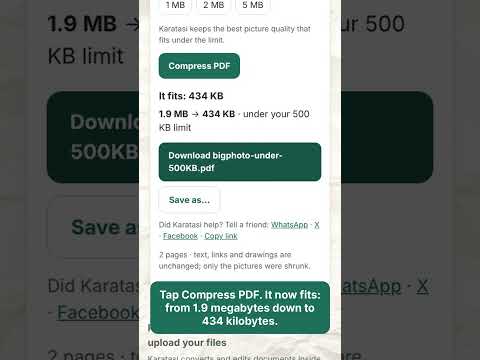
Karatasi puts free PDF and file tools one right-click away - and your files never leave your computer. Right-click any PDF, Word, Excel, PowerPoint or picture link (or an open PDF) and choose: - PDF to Word, PDF to JPG - Compress, or Fit under 200 KB for upload forms - Statement to Excel (bank and mobile-money statements, every row checked against the balance) - Merge with other PDFs - Sign, Fill, edit & annotate - Word, Excel or PowerPoint to PDF Right-click a picture: Picture to PDF, Picture to text, or Compress picture. Select some words and right-click: Send to a new Karatasi document. The toolbar button gives you a search box and the 12 most used tools. Private by design: - The extension reads only the file you right-click, on your own computer, and hands it to Karatasi in your browser. Nothing is uploaded to any server. - No account, no adverts, no watermark, no tracking. The extension collects no data. - It asks to read a website's files only the first time you send a file from that site. Works in English, French, Spanish, Portuguese and Swahili. Karatasi also works offline after your first visit. Made by Karatasi Digital Solutions - https://karatasipdf.com
0 out of 5No ratings
Details
- Version1.0.0
- UpdatedNovember 19, 2026
- Size20.85KiB
- Languages4 languages
- DeveloperKaratasi Digital SolutionsWebsite
MIREMA DRIVE MIREMA SWIMMING POOL NAIROBI 01000 KEEmail
hello@karatasipdf.comPhone
+254 728 549482 - TraderThis developer has identified itself as a trader per the definition from the European Union and committed to only offer products or services that comply with EU laws.
Privacy

This developer declares that your data is
- Not being sold to third parties, outside of the approved use cases
- Not being used or transferred for purposes that are unrelated to the item's core functionality
- Not being used or transferred to determine creditworthiness or for lending purposes
Support
For help with questions, suggestions, or problems, visit the developer's support site