


Overview
Inspect any site and copy an element into Kalka as editable layers, with its tablet and phone breakpoints.
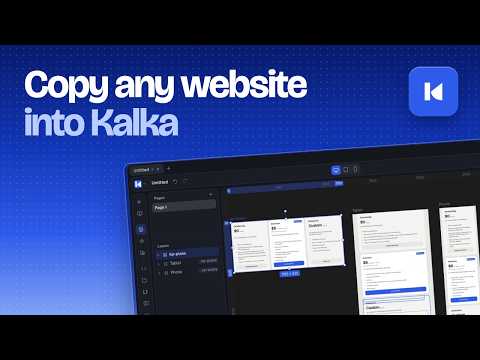
Kalka Snapshot turns any website into a design you can edit. Open it on a page, hover to see each element's box, margins, padding, size, fonts, colors and layout, and click the one you want. Press ⌘C and paste it into Kalka: it arrives as editable layers, with its styles, fonts, images and the page's class names as layer names. Copy with breakpoints Turn on Tablet and Phone, and one copy also takes the page at 810 and 390 pixels wide. Kalka pastes it as an artboard with a tablet and a phone breakpoint, linked to it, each showing what the site shows at that width: smaller titles, a grid that wraps or stacks, a menu that only appears on mobile. Inspect precisely • Hover shows the element's box with its margin and padding • A panel lists its type, colors and layout • Arrow keys and the path at the bottom move to the parent, children and siblings • ⌘C copies for Kalka, ⌥⌘C copies HTML and CSS for any other tool • The menu also copies the element's CSS or its text Private by design Kalka Snapshot runs only on the tab where you start it, from its button or Alt+Shift+K. It collects nothing and sends nothing anywhere: the copy goes to your clipboard and nowhere else. What the markup cannot describe, such as a WebGL gradient or a patterned background, comes from the screen, so the copy looks the way the site did. Kalka is a design editor whose canvas is real HTML and CSS: https://kalka.design
0 out of 5No ratings
Details
- Version0.1.0
- UpdatedNovember 22, 2026
- Size26.37KiB
- LanguagesEnglish
- DeveloperWebsite
Email
baurice@pixelers.fr - Non-traderThis developer has not identified itself as a trader. For consumers in the European Union, please note that consumer rights do not apply to contracts between you and this developer.
Privacy

Kalka Snapshot has disclosed the following information regarding the collection and usage of your data. More detailed information can be found in the developer's privacy policy.
Kalka Snapshot handles the following:
This developer declares that your data is
- Not being sold to third parties, outside of the approved use cases
- Not being used or transferred for purposes that are unrelated to the item's core functionality
- Not being used or transferred to determine creditworthiness or for lending purposes
Support
For help with questions, suggestions, or problems, visit the developer's support site