


Overview
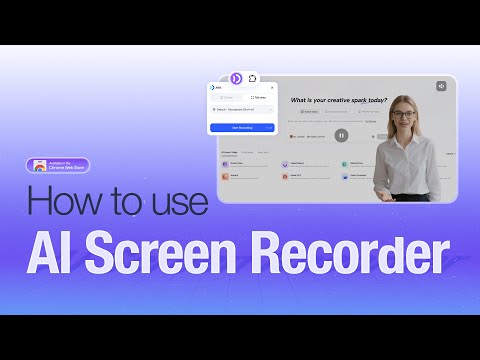
AI-powered screen recorder that turns recordings into professional videos with AI avatars, voiceovers, and auto-editing.
JoggAI – AI-Powered Screen Recorder Turn your screen recordings into polished, AI-avatar–narrated videos — automatically, in minutes. JoggAI records your screen and your voice, removes filler words, and transforms everything into a professional AI Avatar video with natural narration and perfect lip sync. No camera. No studio. No manual editing. Create AI Avatar–led videos from your screen recordings in just a few steps: 1. Record Your Screen & Voice: Capture your full screen, a window, or a selected area — while speaking naturally. 2. Remove Filler Words & Auto Scene Split: JoggAI automatically detects and removes filler words, then splits your recording into clean, editable scenes. 3. AI Avatar Narration: Replace your raw audio with a studio-quality AI voice and a perfectly lip-synced AI Avatar. 4. Finalize & Export: Fine-tune the script or scenes, then export your video instantly. Why JoggAI? 🤖 AI Avatar with Natural Lip Sync Your AI Avatar delivers narration with precise lip movement and natural expressions — no webcam or filming required. 🎥 Smart Screen Recording Record your screen flexibly and add blur or annotations instantly to protect sensitive information. ✨ AI-Powered Cleanup & Editing Automatically remove filler words, split scenes, and upgrade your audio to professional AI voiceovers — all in one click. 🔄 Script-Video Auto Sync Edit your script at any time. The video timing adjusts automatically to stay perfectly aligned. 🌍 One-Click Translation Translate your script and AI voiceover into multiple languages to reach a global audience instantly. 📌 JoggAI is more than a screen recorder. It’s a browser-based AI Avatar video studio designed for: • Product demos & tutorials • Training and onboarding videos • Marketing walkthroughs • Educational content • Sales enablement videos All powered by advanced AI models — no filming, no timelines, no learning curve. Record once. Speak naturally. Let JoggAI handle the rest. Install the JoggAI Chrome Extension and create your first AI Avatar screen recording today.
4.8 out of 54 ratings
Details
- Version1.0.1
- UpdatedFebruary 11, 2026
- Size9.53MiB
- Languages18 languages
- DeveloperWebsite
Email
support@jogg.ai - Non-traderThis developer has not identified itself as a trader. For consumers in the European Union, please note that consumer rights do not apply to contracts between you and this developer.
Privacy

JoggAI - AI-Powered Screen Recorder has disclosed the following information regarding the collection and usage of your data. More detailed information can be found in the developer's privacy policy.
JoggAI - AI-Powered Screen Recorder handles the following:
This developer declares that your data is
- Not being sold to third parties, outside of the approved use cases
- Not being used or transferred for purposes that are unrelated to the item's core functionality
- Not being used or transferred to determine creditworthiness or for lending purposes