

JobJet

Overview
Land more interviews. Autofill job applications in seconds.
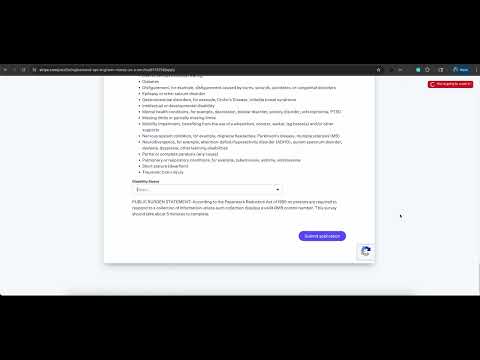
Land more interviews. Apply to more roles in less time. JobJet is an AI-powered autofill that fills job applications from your resume — and shows you exactly what it filled before you hit submit, so you stay in control. ━━━━━━━━━━━━━━━━━━━━━━━━━━━ WHY JOBJET ━━━━━━━━━━━━━━━━━━━━━━━━━━━ Most autofills are a black box: they fill, you submit, and you find out two weeks later that the recruiter saw something wrong. JobJet is built around a different idea — verification. After every autofill, JobJet shows a review panel listing every field it filled, the value it used, and how confident it was. One click jumps to the field on the page. Edit, confirm, and submit when you're ready. That's the whole product: autofill you can actually trust. ━━━━━━━━━━━━━━━━━━━━━━━━━━━ WHAT IT DOES ━━━━━━━━━━━━━━━━━━━━━━━━━━━ • One-key autofill — Press Shift+Alt+F on any application page and JobJet fills the form using your resume and the job description on screen. • Review before submit — A side panel lists every filled field with a confidence indicator. Click any row to jump to the field. • Handles the hard widgets — Custom dropdowns, React Select comboboxes, Ashby yes/no toggles, Workday's multi-step forms, EEOC self-identification questions, cover-letter expanders. The widgets that break other autofills are the ones JobJet was built for. • Learns from your edits — If you correct a value, JobJet remembers it for next time. The more you use it, the more accurate it gets. • Multi-step forms — Workday-style applications that span 5+ pages? Press Shift+Alt+F on each step. JobJet picks up where it left off. If your target ATS isn't listed, JobJet's AI fallback path still handles most standard form fields (name, email, phone, work history, education). ━━━━━━━━━━━━━━━━━━━━━━━━━━━ HOW IT WORKS ━━━━━━━━━━━━━━━━━━━━━━━━━━━ 1. Install JobJet and pin it to your toolbar. 2. Open the popup and upload your resume (PDF or text). 3. Navigate to any job application page. Press Shift+Alt+F. 4. Watch JobJet fill the form. Review the side panel. Click any field to verify or edit. 5. Submit when you're ready. That's it. ━━━━━━━━━━━━━━━━━━━━━━━━━━━ PRIVACY ━━━━━━━━━━━━━━━━━━━━━━━━━━━ • Your resume is stored locally in your browser. Nothing leaves your machine until you trigger an autofill. • Resume and job-description text are sent to Anthropic's Claude API only at the moment of autofill, used to generate the response, and not retained on our servers. • We do not collect browsing history, financial data, health data, or personal communications. • You can delete your account and all server-side data at any time. Full policy: https://gist.github.com/ckeshava/4deafd98e273a2cc29c2e1eaa446f764 ━━━━━━━━━━━━━━━━━━━━━━━━━━━ FREE DURING EARLY ACCESS ━━━━━━━━━━━━━━━━━━━━━━━━━━━ JobJet is free for early users. We're focused on accuracy and coverage right now, not monetization. If you hit a form JobJet doesn't fill correctly, send us the URL — that feedback shapes what we build next. ━━━━━━━━━━━━━━━━━━━━━━━━━━━ FEEDBACK ━━━━━━━━━━━━━━━━━━━━━━━━━━━ Found a form that broke? Have a feature request? Email ckeshavabs@gmail.com or use the feedback link in the popup. Every message is read by the developer. ━━━━━━━━━━━━━━━━━━━━━━━━━━━ Stop retyping the same answers into the same forms. Apply to more roles. Land more interviews. Install JobJet and try it on your next application.
0 out of 5No ratings
Details
- Version0.1.1
- UpdatedJune 20, 2026
- Offered byckeshavabs
- Size676KiB
- LanguagesEnglish
- Developer
Email
ckeshavabs@gmail.com - Non-traderThis developer has not identified itself as a trader. For consumers in the European Union, please note that consumer rights do not apply to contracts between you and this developer.
Privacy

JobJet has disclosed the following information regarding the collection and usage of your data. More detailed information can be found in the developer's privacy policy.
JobJet handles the following:
This developer declares that your data is
- Not being sold to third parties, outside of the approved use cases
- Not being used or transferred for purposes that are unrelated to the item's core functionality
- Not being used or transferred to determine creditworthiness or for lending purposes