

Job Application Tracker
3 ratings
)
Overview
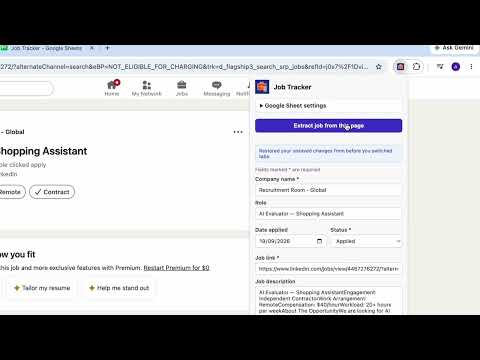
Extract job postings from the active tab and log them straight into a Google Sheet.
Job Application Tracker plugin tracks your job applications. How it works: Set it up: 1. Install Job Application Tracker 2. Connect Google account to Job Tracker 3. Connect an existing Google Sheet or Create a new Google Sheet Use it: 4. Open job listing platforms, e.g. LinkedIn, Indeed. 5. Open the job list detail page 6. Open Job Tracker 7. Click "Extract Job from This Page" (if it isn't already) 8. Save to sheet 9. Check out your Google Sheet file, under "Application" sheet. Job Tracker supports websites in various languages, so you can use it in your most popular job listing platforms in your country.
5 out of 53 ratings
Details
- Version1.0.0
- UpdatedSeptember 27, 2026
- Size68.51KiB
- LanguagesEnglish
- Developer
Email
akira.maria.yosina@gmail.com - Non-traderThis developer has not identified itself as a trader. For consumers in the European Union, please note that consumer rights do not apply to contracts between you and this developer.
Privacy

Job Application Tracker has disclosed the following information regarding the collection and usage of your data. More detailed information can be found in the developer's privacy policy.
Job Application Tracker handles the following:
This developer declares that your data is
- Not being sold to third parties, outside of the approved use cases
- Not being used or transferred for purposes that are unrelated to the item's core functionality
- Not being used or transferred to determine creditworthiness or for lending purposes