Item logo image for Yap Signer

Yap Signer

ExtensionWorkflow & Planning11 users
Item media 5 (screenshot) for Yap Signer
Item media 1 (screenshot) for Yap Signer
Item media 2 (screenshot) for Yap Signer
Item media 3 (screenshot) for Yap Signer
Item media 4 (screenshot) for Yap Signer
Item media 5 (screenshot) for Yap Signer
Item media 1 (screenshot) for Yap Signer
Item media 2 (screenshot) for Yap Signer
Item media 3 (screenshot) for Yap Signer
Item media 4 (screenshot) for Yap Signer
Item media 5 (screenshot) for Yap Signer

Overview

Self-custodial wallet for Solana, Ethereum, Bitcoin, and USDC. Local key with silent signing for allowlisted Yap sites.

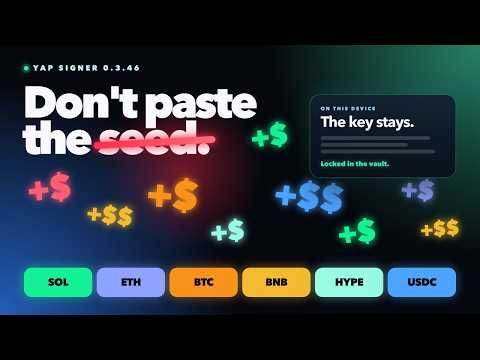
Create or restore a local wallet and seal the 24-word phrase in an AES-256-GCM vault. That phrase derives your Solana, Ethereum, and Bitcoin addresses. USDC on Solana uses the Solana address. USDC on Ethereum uses the Ethereum address. Yap Signer does not store a Base64 private key. The key is derived in memory after unlock. Silent auto-sign stays off until you generate a one-time platform access token. Allowlisted Yap sites must present that token to request Solana signatures. Yap Signer inspects each Solana transaction: the fee payer must be this wallet, programs must match your DEX allowlist, and SOL leaving the wallet is capped from your max notional setting. Token (SPL) value is not yet included in that cap. Home shows Solana, Ethereum, Bitcoin, and USDC with balances and USD prices. Search covers those assets and Solana tokens. You can receive ETH, BTC, and Ethereum USDC. Sending those assets is not in this version. SOL sends and Solana swaps remain available. Yap Signer is not a general dapp wallet. It does not connect to arbitrary websites. It does not send your private key or recovery phrase to Yap servers. How to use it: Install Yap Signer and open the popup. Create a wallet or restore from 24 words. Write down the recovery phrase and confirm three words. Open Receive, pick SOL, ETH, BTC, or USDC, then copy the address or scan the QR. For USDC, choose Solana or Ethereum. Solana USDC uses the Solana address. Ethereum USDC uses the Ethereum address. Leave signing on Manual unless the platform needs silent sign. For silent sign, generate a platform access token, copy it once, and paste it into Yap. Generating a new token destroys the old one. Manual mode needs no token. Search SOL, ETH, BTC, USDC, or a Solana token. Star a Solana coin to track it on Home. Tracked coins show as Watching until you hold them. Unlock is required for signing. The private key stays in memory; locking or restarting Chrome wipes it. Receive addresses still work while the wallet is locked. Short description: Self-custodial wallet for Solana, Ethereum, Bitcoin, and USDC. Local vault and silent signing for allowlisted Yap sites.

Details

  • Version
    0.3.22
  • Updated
    September 28, 2026
  • Offered by
    yap
  • Size
    489KiB
  • Languages
    English
  • Developer
    Email
    saldevelopment02@gmail.com
  • Non-trader
    This developer has not identified itself as a trader. For consumers in the European Union, please note that consumer rights do not apply to contracts between you and this developer.

Privacy

Manage extensions and learn how they're being used in your organization

Yap Signer has disclosed the following information regarding the collection and usage of your data. More detailed information can be found in the developer's privacy policy.

Yap Signer handles the following:

Financial and payment information
Authentication information

This developer declares that your data is

  • Not being sold to third parties, outside of the approved use cases
  • Not being used or transferred for purposes that are unrelated to the item's core functionality
  • Not being used or transferred to determine creditworthiness or for lending purposes

Support

For help with questions, suggestions, or problems, visit the developer's support site

Google apps