


Overview
Find all email address in the current webpage. Export them to CSV or JSON.
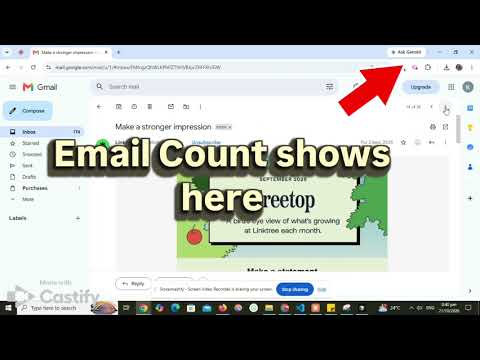
Find every email address on any web page in one click. Email Finder scans the page you are viewing, lists all the email addresses it finds, and lets you copy them or export them as CSV or JSON. No sign-up, no account, no setup. HOW IT WORKS 1. Open any website. 2. Click the Email Finder button on the toolbar, or press Ctrl+Shift+E (Command+Shift+E on Mac) to scan the page and add its emails to your captured list. 3. See the email addresses found on the page. 4. Copy them, or export your captured list as a CSV or JSON file. FEATURES - Quick capture shortcut: press Ctrl+Shift+E (Command+Shift+E on Mac) to scan the current page and add the emails it finds to your captured list, without opening the popup - Build one list across many pages as you browse - Finds email addresses in the visible text and links of the current page - Also scans embedded frames on the page - Copy emails straight from the popup - Export your captured list to CSV for Excel, Google Sheets and other spreadsheet tools - Export to JSON for developers, scripts and other tools - Each record includes the email address, its domain, the page URL it was found on, and a timestamp - Lightweight and fast, with a clean, simple popup KEYBOARD SHORTCUT Press Ctrl+Shift+E (Command+Shift+E on Mac) on any page to scan it and add the emails to your captured list. You can change the shortcut at chrome://extensions/shortcuts. PRIVACY Email Finder works entirely in your browser. Pages are scanned locally, and your captured list is stored only on your device in the browser's extension storage. It is never sent to our servers or any third party. We do not collect personal data, use analytics or show ads. You can clear the list at any time or remove it by uninstalling the extension.
3 out of 52 ratings
Details
- Version3.1
- UpdatedOctober 25, 2026
- Offered byPicsweb
- Size27.47KiB
- LanguagesEnglish (United States)
- Developer
Email
contactkeralastoreonline@gmail.com - Non-traderThis developer has not identified itself as a trader. For consumers in the European Union, please note that consumer rights do not apply to contracts between you and this developer.
Privacy

This developer declares that your data is
- Not being sold to third parties, outside of the approved use cases
- Not being used or transferred for purposes that are unrelated to the item's core functionality
- Not being used or transferred to determine creditworthiness or for lending purposes
Support
For help with questions, suggestions, or problems, please open this page on your desktop browser