


Overview
Translate WhatsApp chats & voice notes inline, reply in your own voice, and run live translated calls. 140+ languages.
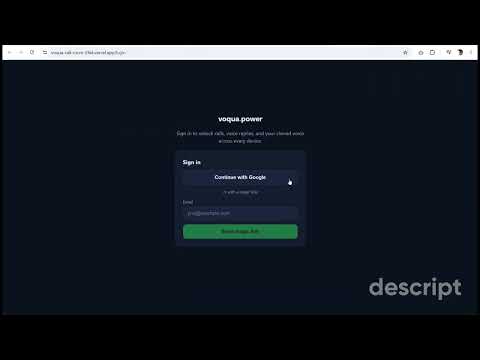
Voqua translates WhatsApp Web for you — chats, voice notes, and live calls — so you can understand every customer and close deals in any language, without leaving the conversation. Add the free extension and every incoming WhatsApp message gets an instant translation right under it. No copy-paste, no Google Translate tab. Then sign in (free) to unlock voice replies in your own voice and live translated calls. WHAT YOU GET 🌐 Auto-translate every message — incoming WhatsApp messages translate inline, instantly, in 140+ languages. Context-aware, so "same as last time" is understood by meaning, not word-for-word. 🎤 Voice note transcription — one click turns any voice note into text plus a translation, right in the chat. 💬 Reply composer — draft your reply, see the translation live in the side panel, copy, paste, send. Voqua never sends for you — you always press send yourself. 🗣️ Voice replies in YOUR voice (Voice & Power plans) — reply to a voice note with audio in your customer's language, spoken in your own cloned voice. 📞 Translated calls (Power plan) — tap the call button and share the link. Your customer joins from any browser — no app, no account — and you each speak your own language while Voqua interprets live, with on-screen captions. Get a transcript, an AI summary, and a ready-to-send follow-up afterward. HOW IT WORKS 1. Add the free extension. 2. Open WhatsApp Web — messages auto-translate. 3. Sign in (free) to unlock voice replies and translated calls. PRICING Free — 30 translations/day, 5 voice notes/day, trial voice replies and call minutes. Pro $9.99/mo — unlimited chat and voice-note translation, unlimited voice replies (standard voice). Voice $14.99/mo — everything in Pro, plus voice replies in your own cloned voice. Power $24.99/mo — everything in Voice, plus translated audio and video calls, your cloned voice on calls, and call transcripts, summaries and follow-ups. PRIVACY Chat and voice-note translations are processed live and never stored. Call transcripts are saved only to your own account so you can review them, and you can delete them anytime — raw call audio is never recorded. Full policy at voqua.app/privacy WhatsApp is a trademark of WhatsApp LLC. Voqua is not affiliated with, endorsed by, or certified by WhatsApp or Meta. Powered by Google Gemini, Deepgram, and premium neural voices. Built by Tech & Sols (techandsols.com)
5 out of 55 ratings
Details
- Version1.6.2
- UpdatedAugust 2, 2026
- FeaturesOffers in-app purchases
- Size69.57KiB
- Languages8 languages
- DeveloperWebsite
Email
haroonbutt2002@gmail.com - Non-traderThis developer has not identified itself as a trader. For consumers in the European Union, please note that consumer rights do not apply to contracts between you and this developer.
Privacy

Voqua — WhatsApp Translator, Voice & Calls has disclosed the following information regarding the collection and usage of your data. More detailed information can be found in the developer's privacy policy.
Voqua — WhatsApp Translator, Voice & Calls handles the following:
This developer declares that your data is
- Not being sold to third parties, outside of the approved use cases
- Not being used or transferred for purposes that are unrelated to the item's core functionality
- Not being used or transferred to determine creditworthiness or for lending purposes