

FlipHTML5 PDF Downloader (Pro & OCR)

Overview
Download FlipHTML5 books to high-quality PDF with selectable OCR text and custom layout. Free, unlimited & watermark-free.
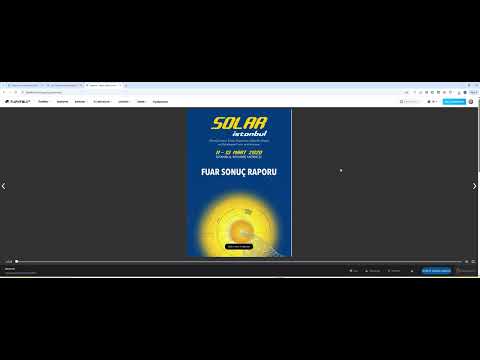
FlipHTML5 PDF Downloader is a lightweight, clean, and completely free browser extension designed to export FlipHTML5 digital publications, magazines, catalogs, and study materials into high-resolution PDF documents for seamless offline reading. Unlike other tools that impose demo watermarks, enforce page limits, or lock essential settings behind expensive subscriptions, this extension provides full access to every feature 100% free with zero watermarks. KEY FEATURES - 100% Free & No Watermarks: Clean, original-resolution output without promotional stamps or demo banners. - Searchable Text Layer (OCR): Embeds selectable and copyable text directly into the PDF so you can search (Ctrl+F) and highlight text. - Page Orientation Controls: Choose between Auto Fit (original aspect ratio), Portrait, Landscape, or Square layout. - Quality Optimization: Choose between Original (95% clarity), Medium, or Low (compact file size). - Flexible Page Range: Export the complete flipbook automatically or define a custom page range (e.g., pages 1–24). - One-Click Seamless Flow: Automatically handles both catalog and embedded reader pages without requiring manual URL editing. - Client-Side & Private: All image processing and PDF compilation occur locally inside your browser; no data is ever sent to external servers. HOW TO USE 1. Open any FlipHTML5 publication in your browser. 2. Click the FlipHTML5 PDF Downloader extension icon in your toolbar. 3. Select your preferred orientation, quality, and OCR settings. 4. Click "Download as PDF" and enjoy your watermark-free document! PERMISSIONS & PRIVACY - activeTab: Strictly used to interact with the active FlipHTML5 tab when you click the extension icon. This extension does not collect, transmit, or monetize any user browsing data. DISCLAIMER This extension is an independent open utility created for personal offline reading and research. It is not affiliated with, endorsed by, or sponsored by FlipHTML5. Please respect the copyright of original creators. TR FlipHTML5 PDF Downloader, FlipHTML5 üzerindeki çevrim içi yayınları, deneme sınavlarını, dergileri ve katalogları yüksek çözünürlüklü PDF dosyalarına dönüştürmenizi sağlayan ücretsiz ve bağımsız bir tarayıcı eklentisidir. Sayfaların ortasına demo filigranı basan, sayfa sayısını kısıtlayan ya da temel ayarları ücretli Pro planların arkasına saklayan araçların aksine; tüm özellikleri tamamen ücretsiz ve filigransız sunar. ÖNE ÇIKAN ÖZELLİKLER - %100 Ücretsiz ve Filigransız: Sayfaları reklam veya demo damgası olmadan orijinal netliğinde kaydeder. - Aranabilir Metin Katmanı (OCR): İndirilen PDF içinde yazıların fareyle seçilmesini, kopyalanmasını ve Ctrl+F ile aranabilmesini sağlar. - Sayfa Yönü Seçimi: Otomatik (orijinal oran), Dikey, Yatay veya Kare yönlendirme seçenekleri. - Kalite Ayarı: Orijinal (%95 netlik), Dengeli Orta veya Küçük boyutlu Düşük kalite tercihleri. - Sayfa Aralığı: Kitabın tamamını tek tıkla otonom indirebilir ya da dilediğiniz başlangıç ve bitiş sayfalarını belirleyebilirsiniz. - Tek Tık Kolaylığı: Hem vitrin sayfalarında hem doğrudan okuyucuda tek tıklamayla indirme akışını başlatır. - Yerel ve Güvenli: Tüm işlemler doğrudan kendi bilgisayarınızda gerçekleşir; hiçbir kullanıcı verisi harici sunuculara aktarılmaz. NASIL KULLANILIR? 1. İndirmek istediğiniz FlipHTML5 yayınını açın. 2. Tarayıcı araç çubuğundaki eklenti simgesine tıklayın. 3. Yönlendirme, kalite ve OCR tercihlerinizi seçin. 4. "PDF Olarak İndir" butonuna tıklayarak dosyanızı saniyeler içinde bilgisayarınıza kaydedin! İZİNLER VE GİZLİLİK - activeTab: Sadece siz butona bastığınızda o an açık olan sekmede indirmeyi başlatmak için gereklidir. Eklenti hiçbir kişisel verinizi toplamaz veya kaydetmez. YASAL UYARI Bu bağımsız bir araçtır; FlipHTML5 ile herhangi bir resmi ortaklığı yoktur. Lütfen içerik sahiplerinin telif haklarına saygı gösteriniz.
0 out of 5No ratings
Details
- Version1.1.0
- UpdatedOctober 30, 2026
- Offered byYakup Contarlı
- Size15.81KiB
- Languages2 languages
- Developer
Email
ahmetyakupcontarli@gmail.com - Non-traderThis developer has not identified itself as a trader. For consumers in the European Union, please note that consumer rights do not apply to contracts between you and this developer.
Privacy

This developer declares that your data is
- Not being sold to third parties, outside of the approved use cases
- Not being used or transferred for purposes that are unrelated to the item's core functionality
- Not being used or transferred to determine creditworthiness or for lending purposes