

Glide Preview

Overview
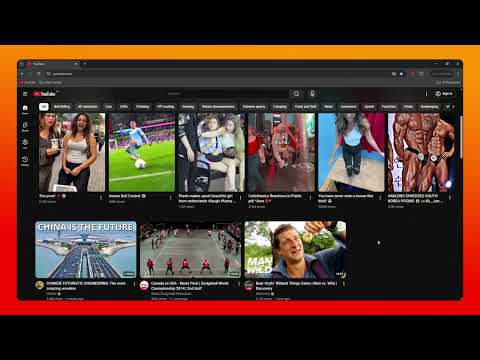
Watch YouTube with a Smart Sidebar (Comments & AI Ask), custom player width, and blur settings. Without leaving your feed.
Glide Preview transforms YouTube into a continuous experience where watching and browsing merge seamlessly. No more losing your scroll position or clicking back and forth between pages. Just pure, uninterrupted content discovery. 🚀 What’s New in This Update? • Built-in AdBlocker: Say goodbye to commercial interruptions! Glide Preview now features an integrated ad-blocking engine that automatically silences and strips video ads, popups, and ad breaks within the preview player for a smooth, ad-free viewing experience. • Dual Experience Modes (Focus Mode vs. Custom Mode): Customize how you watch with the all-new mode switcher: Focus Mode: A minimalist, distraction-free viewing experience with clean, optimized default settings out of the box. Custom Mode: Unlocks complete workspace personalization for those who want total control over layout and aesthetics. • Dynamic Customization & Dragging: Manually resize and reposition the player anywhere on your screen. Whether you want a mini-view in the corner or a centered cinematic experience, the choice is yours. • Sticky Mode (Lock Button): Enable the Lock feature to keep the player active while you explore. Clicking outside the modal won't close it, allowing you to browse other videos or multitask without losing your current view. ✨ Key Features: • Instant In-Feed Playback: Hover over any video and click the smart preview button to watch directly on your current page. • Smart Sidebar (Comments & AI Ask): Dive deeper into content with dedicated tabs for Video Descriptions, Comments, and an integrated AI 'Ask' tool for instant insights while watching. • Tailored Atmosphere: Fine-tune background darkness and blurriness settings to match your exact mood and light environment. • One-Tap Reset: Experiment with confidence. If you ever want to return to default layout settings, the Reset to Default button restores everything instantly. • Stay in the Flow: Keep your place in the YouTube feed while enjoying full video functionality. Glide Preview: Hover. Click. Watch. Repeat.
0 out of 5No ratings
Details
- Version1.1.1
- UpdatedSeptember 2, 2026
- Offered bymotionbuzz
- Size46.82KiB
- LanguagesEnglish
- Developer
Email
motionbuzz1@gmail.com - Non-traderThis developer has not identified itself as a trader. For consumers in the European Union, please note that consumer rights do not apply to contracts between you and this developer.
Privacy

This developer declares that your data is
- Not being sold to third parties, outside of the approved use cases
- Not being used or transferred for purposes that are unrelated to the item's core functionality
- Not being used or transferred to determine creditworthiness or for lending purposes