


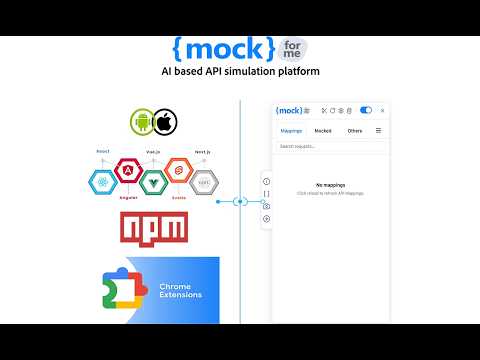
Overview
AI-based API simulation in Chrome — reproduce latency, errors, dynamic & conditional responses. No code, no mock server.
The backend isn't ready. You are. Simulate real API behavior in your browser — latency, failures, edge cases, and dynamic responses, with no code and no mock server. MockForMe is an AI-based API simulation platform that intercepts your app's requests and lets you reproduce exactly how real APIs behave — not just static responses. Simulate slow networks, server errors, timeouts, conditional logic, and multi-step flows, all from your browser. Frontend developers, QA engineers, designers, and product teams use it to build, test, and demo apps without waiting on the backend. SIMULATE ANY API CONDITION • Success, validation errors, server failures, and empty states — on demand. • Network latency and timeouts to test loading and failure handling. • Conditional responses that change based on the request (params, headers, body). • Dynamic API endpoints — match path variables like /users/:id so one simulation covers every request. • Dynamic values with variables and Faker for realistic, non-repetitive data. • Multi-step flows to simulate real request sequences and stateful journeys. AI-POWERED RESPONSES Generate realistic JSON from an API schema or a plain-English prompt in seconds — no manual authoring or upkeep. BUILT-IN DEVTOOL A dedicated panel inside Chrome DevTools to inspect intercepted requests, view request/response details, see exactly which APIs are simulated, and enable, disable, or edit simulations live. BUILT FOR TEAMS • Centralized dashboard to manage simulations, environments, and configurations. • Real-time sync — dashboard changes push straight to the extension. • Share setups across developers, QA, designers, and stakeholders. • Domain whitelisting — simulation runs only on sites you allow. HOW IT WORKS 1. Install the extension and sign in with your MockForMe account. 2. Add the domains where you want simulation enabled. 3. Create responses, rules, and flows — or AI-generate them. 4. Open the MockForMe DevTool and start testing instantly. PERFECT FOR Frontend development • QA and integration testing • Error and edge-case testing • UI/UX prototyping • Reliable demos without staging or live data. LINKS Website: https://www.mockforme.com Dashboard: https://dashboard.mockforme.com Docs: https://docs.mockforme.com Tutorials: https://youtube.com/@mockforme Install MockForMe and test your app against any API scenario — with full control over how your APIs behave. Simple. Secure. Build Smarter. Ship Faster.
5 out of 543 ratings
Details
- Version19.1.0
- UpdatedOctober 23, 2026
- Size1.98MiB
- LanguagesEnglish
- Developer
- Non-traderThis developer has not identified itself as a trader. For consumers in the European Union, please note that consumer rights do not apply to contracts between you and this developer.
Privacy

This developer declares that your data is
- Not being sold to third parties, outside of the approved use cases
- Not being used or transferred for purposes that are unrelated to the item's core functionality
- Not being used or transferred to determine creditworthiness or for lending purposes
Support
For help with questions, suggestions, or problems, please open this page on your desktop browser