

Jira Quick Video Recorder
2 ratings
)
Overview
Screen recording with local AI transcription and Jira integration. Built for speed and web compatibility.
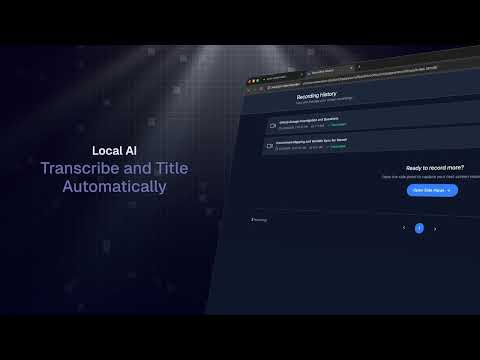
Jira Video Recorder - Instant Screen & Bug Captures Record your screen, automatically transcribe with AI (on device), and create Jira issues—all in one place. All code is open source on GitHub. Jira Integration (OAuth) is a one-click OAuth connection to your Jira account. Once connected, the extension can create issues and attach recordings directly. Our goal is to radically reduce friction when reporting bugs, describing UI issues, explaining customer requests, or documenting small improvements — especially from Customer Success, Support, and Sales teams. Screen Recording Record your screen instantly from any page. Pause and resume anytime. Recordings are saved locally in a sharing friendly format. Audio Transcription (On Device) Audio is automatically transcribed using on-device AI — no audio ever leaves your machine. Use the transcript as your Jira issue description or as context for your team. Auto-Drafted Jira Tickets (Optional — Your Own API Key) Connect your own AI with an API key, and every transcript is automatically turned a drafted Jira summary and description. Off by default — nothing is sent until you add a key in Settings. Recording Library Browse, replay, and manage all your past recordings in one place. Revisit transcripts and linked Jira issues at any time. Send Your Transcript to Any AI provider: After recording, send your transcript directly to your AI assistant of choice — with one click. - ChatGPT - Claude - Gemini - DeepSeek - Perplexity Perfect for: - QA & Engineering — capture bugs with full context the moment you spot them - Customer Success — record customer workflows and file tickets in one motion - Support Teams — document issues without writing a novel - Product & Design — quickly log UI feedback from any page Save Jira Ticket Presets: - Project - Sprint - Priority - Assignee Privacy First Approach All recordings are stored locally in your browser using IndexedDB, and audio transcription runs entirely on-device. No video or audio is ever sent to external servers. Transcript text leaves your device only if you choose to: by clicking "Open in" an AI assistant, or by adding your own API key for auto-drafted tickets.
5 out of 52 ratings
Details
- Version1.2.8
- UpdatedOctober 12, 2026
- Size33.56MiB
- LanguagesEnglish
- Developer
Email
gafinnegan@gmail.com - Non-traderThis developer has not identified itself as a trader. For consumers in the European Union, please note that consumer rights do not apply to contracts between you and this developer.
Privacy

This developer declares that your data is
- Not being sold to third parties, outside of the approved use cases
- Not being used or transferred for purposes that are unrelated to the item's core functionality
- Not being used or transferred to determine creditworthiness or for lending purposes
Support
For help with questions, suggestions, or problems, visit the developer's support site