

Google Flow Automator - Nano Banana, VEO and Omni Flash

Overview
Premium automation for Google Flow project creation.
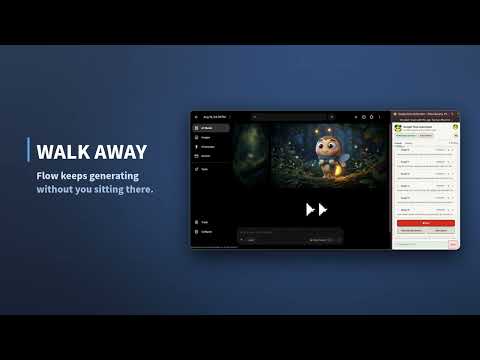
😍Google Flow Automator😍 Prompt Queue, CSV & Google Sheets Import, Storyboards, and Auto Download for Google Flow Automate Google Flow image and video generation with prompt queues, CSV and Google Sheets import, reference and character images, storyboard planning, and automatic downloads. Google Flow Automator helps creators save time by automating repetitive Google Flow tasks. Instead of submitting prompts one by one, build a queue, import prompts from a CSV file or Google Sheet, attach reference and character images, plan scenes with the storyboard tool, and let generations run automatically in sequence while results download themselves. Built for creators using Google Flow, Nano Banana, VEO 3.1, and Omni 1.1 Flash, Google Flow Automator makes large-scale image and video generation faster, easier, and more reliable. 😎Key Features😎 📌Queue & Prompts ✅ Queue unlimited prompts and run them automatically in sequence ✅ Reorder, tab through, and reuse prompts in the Current Queue ✅ Import prompts from CSV files or Google Sheets ✅ Multi-line prompts in a single entry (via @@@NEXT@@@) ✅ Auto @mention search — automatically links assets to prompts by name 📌References, Storyboards & Collections ✅ Reference images and character reference images ✅ Multi-select Ingredient Picker with live count validation ✅ Storyboard planning tools for structured, scene-by-scene generation ✅ Organize assets into Collections and generate from a single Collection ✅ Search inside image pickers and Collections 📌Video Mode ✅ Professional Video Mode for VEO 3.1 and Omni 1.1 Flash ✅ Omni resolutions including 360p and 720p ✅ Character picker built into Video Mode 📌Downloads & Reliability ✅ Automatic download of generated images, on by default ✅ Download eligible 1K and 2K upscaled images ✅ Configurable, randomized delays with automatic retry on failures ✅ Works with Chrome and Edge — available in English, Korean, Japanese, Chinese, German, French, and Hindi 📌Why Use Google Flow Automator? Google Flow is powerful, but managing hundreds of prompts and assets by hand isn't. Google Flow Automator helps you: 🏋 🏋 Run hundreds of prompts and video generations without constant monitoring 🏋 Cut out repetitive clicking and manual queue management 🏋 Plan and organize prompt workflows with storyboards and collections 🏋 Save time on large-scale image and video projects 🏋 Keep generations running automatically while you focus on other work 😎 Whether you're creating AI art, character designs, concept art, storyboards, marketing assets, or creative experiments, Google Flow Automator streamlines the entire workflow — from planning to prompt to downloaded result. 🤔 Questions and Answers 🤔 Q: How can I obtain premium access? A: You can request it through the “Request Access form.”. If a form is closed, it is due to a high volume of request, but a being dedicated user can still use it. Q: I subscribed and left a comment, but I haven’t received the access yet. A: All permissions will be reviewed by a developer, and they will grant you access manually if you meet the eligibility criteria. If your comment is poorly written, it will not be granted access. This app is free to use, so access will be controlled for premium users. Q: I commented a well-structured comment and subscribed, but I haven’t received the permission. A: My main focus right now is on developing new features and ensuring a stable experience for my current supporters. As a result, I only have time to review and process upgrade requests once a week. I am handling these requests sequentially, so if you believe you meet the eligibility requirements, please be patient. I will check your status and process your upgrade during my weekly review. ⭕️ Recent Updates ⭕️ Version 2.8.5 - Prepare to support GA Studio Version 2.8 - Added Last-Frame Capture for Video Mode Version 2.7.8 - Fixed 1k downloader issue with webp. Version 2.7.7 - Bug fix for scanning images Version 2.7.6 - Bug fix with Frame in Video - Added End frame in Omni 1.1 Version 2.7.5 -Supporting flow.google.com Version 2.7.4 -Bug fix Version 2.7.3 - Apply a change to Host Version 2.7.2 - Updated to Omni 1.1 Flash - Added Omni resolutions 360p and 720p. Version 2.7.1 - Updated Queue logics Version 2.7 - Updated Storyboard UI/UX for better planning - Omni is now supporting up to 7. - Add Character picker in Video Mode. Version 2.6 - Scan images inside of collections - Add search images in image pickers - Add Collection mode, which only scan and generate in collection. Version 2.5.2 - Add more error handling / retries for image violations - Enabled Google Sheet for all members Version 2.5.1 - Bug Fix Version 2.5 - Fixed @mention issue for Character and Reference - Updated Image Downloader now uses reverse numbering for bulk downloads. This means that the first image will have the last numbering. Version 2.4 - Fix clear queue issue from CSV import - Add Google sheet upload - Auto downloader is now on by default, which can be turned off in Setting - E-Ink will be removed from Stater plan in the next release. Version 2.3 New Theme - E Ink Redesign & New Layout. Version 2.2.2 Optimised Download functionality Improved renameing files after donwload Optimised CSV import Version 2.2 - Optimised downloader - Add a bug report for Premium+, Pro users - Redesigned user guide - Included new rules for abusing users. Version 2.1 - New restrictions for Stater plan due to abusing servers. - Refined randomized delays - Improved selected and upscaled image downloader - Completed UI translations for English, Korean, Japanese, Chinese, German, French, and Hindi. V 2.0 - Professional Video Mode Integration (VEO 3.1 and Omni Flash video automations). - Multi-select Ingredient Picker (select up to 3 images with live count validation). - Advanced Storyboard Enhancements - Use Multi-line Prompts (via @@@NEXT@@@ delimiter). - Auto @mention Search (auto-link assets matching @name in prompts). - Robust Asset Mapping (graceful skipping of missing assets). - Dark Mode support, v1.6.3 - Optimised 2K downloader, and add tabs in Current Queue. - Add re-ordering queues v1.6.2 - Tuned Prompt Delay: the default is now 30s. v1.6.1 - Adding 3 days Premium Trial mode - Adding a showcase. v1.6 - New login-based access with email login - Character Assets and Reference Images grouped as Premium features - Storyboard planning - Optimised Image Downloader with image/video picker - New downloader for Premium users - Starter plan simplified with no quota limit for now - User Profile panel with membership status and User ID - Better handling for failed prompts and retry flow v1.5.1 • Optimized connection handling during high request volumes • Prevented unsupported narrow-panel runs • Added completed prompt reuse functionality • Improved premium eligibility and usage management v1.5 • New cleaner interface and improved visual design • Better spacing, contrast, and compact layouts • Improved reference image and character handling • Enhanced Google Sign-In experience v1.4 • Added 2K upscaled image downloads (beta) • Added random delay settings • Optimized prompt queue performance • Improved Edge browser compatibility ## Support If something does not work as expected, please contact us before leaving a negative review. Google Flow Automator is independently developed and maintained, and user feedback helps improve future updates. If the extension saves you time, please consider leaving an honest review on the Chrome Web Store.
4.7 out of 5357 ratings
Details
- Version3.0.2
- UpdatedOctober 8, 2026
- Size498KiB
- LanguagesEnglish (United States)
- DeveloperWebsite
Email
supports@googleautomator.com - Non-traderThis developer has not identified itself as a trader. For consumers in the European Union, please note that consumer rights do not apply to contracts between you and this developer.
Privacy

Google Flow Automator - Nano Banana, VEO and Omni Flash has disclosed the following information regarding the collection and usage of your data. More detailed information can be found in the developer's privacy policy.
Google Flow Automator - Nano Banana, VEO and Omni Flash handles the following:
This developer declares that your data is
- Not being sold to third parties, outside of the approved use cases
- Not being used or transferred for purposes that are unrelated to the item's core functionality
- Not being used or transferred to determine creditworthiness or for lending purposes