

ContextBay – Tab & Workspace Manager with Tab Groups
1 rating
)
Overview
Save tab groups & workspaces locally in Chrome's Side Panel. Switch fast with RAM-saving lazy restore and JSON backup.
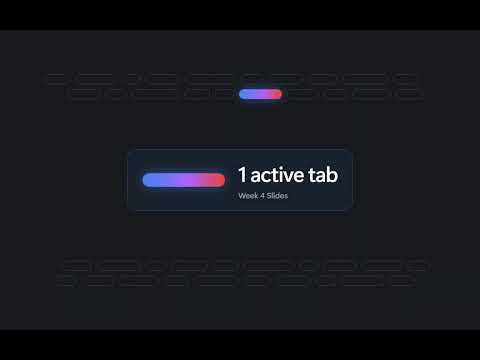
Organize heavy browser workflows without losing native Chrome Tab Groups or freezing your computer. ContextBay is a fast, 100% local tab and workspace manager built specifically for Chrome’s Side Panel. Save any browser window—including native Tab Groups (titles, colors, collapsed state) and pinned tabs—and switch between projects with one click. WHY CONTEXTBAY? • Native Chrome Tab Groups Preserved Saves and recreates real Chrome Tab Groups and pinned tabs. Your tabs stay native to Chrome—never trapped inside a proprietary tab tree. • RAM-Saving Lazy Restore Restoring 80+ tabs shouldn’t spike your RAM or crash Chrome. ContextBay opens at most 3 inactive tabs at once and puts them to sleep automatically via Chrome’s native tab discard API — keeping 1 active tab and 79 sleeping tabs lightweight instead of loading everything at once. • Real Web URLs — Zero Broken Placeholder Tabs Every restored tab points directly to its real http:// or https:// URL. If you ever disable or uninstall ContextBay, all your open tabs keep working normally. • Automatic Pre-Switch Safety Backups Before every workspace switch, ContextBay automatically saves your current window into a 5-slot Pre-Switch ring buffer and respects unsaved-form (“Leave site?”) prompts so you never lose work by accident. • Fast Side Panel UI for Power Users (Up to 2,500 Tabs) Lives persistently in Chrome’s Side Panel so it never disappears when you switch tabs. Includes instant search across workspaces, groups, and tab URLs/titles, automatic Light & Dark mode, full keyboard navigation, and 11 built-in languages. • Portable JSON Backups & Easy Migration Export your entire workspace library as clean JSON anytime. Already using Session Buddy? ContextBay supports direct local import of Session Buddy v3 & v4 JSON exports—splitting multi-window v3 sessions into workspaces and mapping nested v4 folders into native Chrome Tab Groups with a live preview before importing. 100% LOCAL & PRIVACY-FIRST • Zero accounts, zero cloud servers, zero analytics or tracking • Zero host_permissions — never reads page content or cookies • Strict Incognito protection (automatic read-only mode) • Only http:, https:, and about:blank URLs are stored or restored Note: ContextBay is an independent extension and is not affiliated with Session Buddy.
5 out of 51 rating
Details
- Version1.0.2
- UpdatedNovember 27, 2026
- Offered byContextBay
- Size157KiB
- Languages11 languages
- Developer
Email
contextbay@proton.me - Non-traderThis developer has not identified itself as a trader. For consumers in the European Union, please note that consumer rights do not apply to contracts between you and this developer.
Privacy

This developer declares that your data is
- Not being sold to third parties, outside of the approved use cases
- Not being used or transferred for purposes that are unrelated to the item's core functionality
- Not being used or transferred to determine creditworthiness or for lending purposes