

ScreenDot

Overview
Capture the visible browser viewport with a draggable dot and paste or upload it into browser-based editors when allowed.
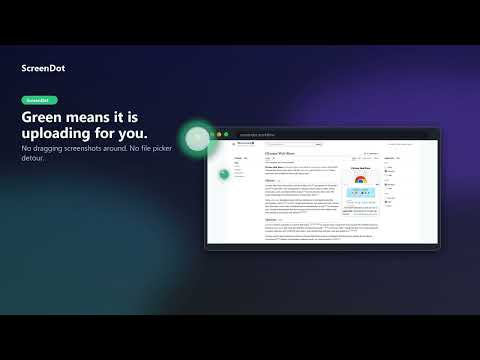
ScreenDot puts a small, draggable pearl on every web page. One click captures the visible page. The next click in any chatbox, on any tab — attaches the screenshot automatically. No copy, no paste, no "find the attach button." How it works: Click the pearl. ScreenDot captures what you're looking at. Switch to ChatGPT, Claude, Gemini, Perplexity, or any other site with an upload field. Click the chatbox. The screenshot attaches itself. That's it. Cross-tab works seamlessly — capture on one tab, paste on another. Features: Works on ChatGPT, Claude, Gemini, Perplexity, and any site with a file-upload field Cross-tab handoff: capture in one tab, attach in another Drag the pearl anywhere on screen; resize via the bottom-right corner Right-click opens a color picker: 10 colors, 70 shades, plus Iridescent and Incognito modes Per-tab independence — moving the pearl on one site doesn't affect others Adjustable opacity (15–100%) via settings Respects reduced-motion accessibility preferences First-launch walkthrough teaches the gesture; never repeats after Privacy ScreenDot does not collect data. No remote server, no analytics, no telemetry. Screenshots stay in your browser's memory (and clipboard, if you use it), auto-clear after 10 minutes, and are never written to disk or uploaded. Permissions, in plain English activeTab — capture the visible viewport when you click the pearl clipboardWrite — copies the PNG to your system clipboard as a fallback storage — remembers your pearl's color, size, position, and license scripting — injects the pearl into tabs you already had open at install/update debugger — used only for the optional "Background" full-page capture (Chrome's print engine builds a clean PDF without scrolling your page); this is why Chrome may briefly show "ScreenDot started debugging this browser." Nothing is inspected or sent. contextMenus — adds the right-click "Show ScreenDot on the page" option to bring the dot back host_permissions: <all_urls> — required so the pearl works on every page, not just specific sites
0 out of 5No ratings
Details
- Version1.2.4
- UpdatedJuly 22, 2026
- Offered bypacificresearchglobal
- Size201KiB
- LanguagesEnglish (United States)
- DeveloperPacific Research Group LLC
2827 E Coolidge Ave Orange, CA 92867-5213 USEmail
pacificresearchglobal@gmail.comPhone
+1 650-213-2381 - TraderThis developer has identified itself as a trader per the definition from the European Union and committed to only offer products or services that comply with EU laws.
Privacy

ScreenDot has disclosed the following information regarding the collection and usage of your data. More detailed information can be found in the developer's privacy policy.
ScreenDot handles the following:
This developer declares that your data is
- Not being sold to third parties, outside of the approved use cases
- Not being used or transferred for purposes that are unrelated to the item's core functionality
- Not being used or transferred to determine creditworthiness or for lending purposes
Support
For help with questions, suggestions, or problems, visit the developer's support site