

AlevelMathsC1-3bbic

概述
Talking equations for quick revision or self-tuition with speed and repetition control. It's like having a brain machine. (Works…
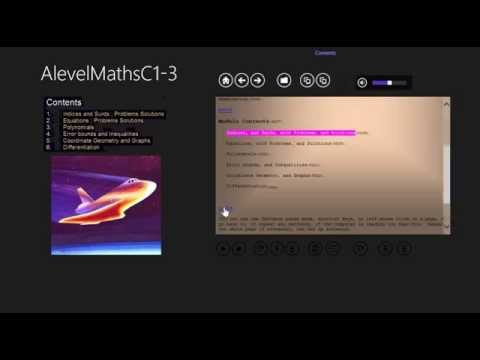
Talking equations for quick revision or self-tuition with speed and repetition control. It's like having a brain machine. (Works Best in Landscape Tablet mode with Both Tab selected(via horizontal swipe) and if can't see Pause Button must do Screen Calibration, see (read more) below, and please turn on your sound. this A level Maths app includes: C1: Indices and Surds, with Problems and Solutions. Equations with Problems and Solutions. Polynomials and completing the square. Error bounds and Inequalities. Coordinate Geometry and Graphs. Differentiation. C2: Dividing and Factoring Polynomials, Sequences and Series, Logarithms and Exponentials, Circles and Angles, Trigonometric Functions, Integration, Problems and Solutions. C3: Algebraic Functions, Special Functions and Transformations, More Trigonometric Functions and Identities, Differentiation and connected rates of change. Integration and Volumes of Revolution, Numerical Methods. C1: is free, C2 and C3 are £1.99 ex tax for both. . Use Repeat Mode to increase your learning speed without working harder. . Horizontal swipe to choose the best view for your phone or tablet (Text,Picture,Both) . Vertical swipe of the picture for fast page turn, or use Find to jump. . zoom on picture screen (double tap to enable and then again for max/min zoom) . on both screen the picture double tap will pause/play. . Separate Notes on every page. . Speed/Repeat control via the S button (file Menu), R button for continuous replay. . Screen Calibration may be required to set the position of the control buttons especially if they are invisible, see below. Bookbuddi is a learning program that allows for simultaneous study of images and text. A speedreading tool that runs alongside pictures enables a learner to easily understand equations that are explained to them as they look at them. There is one diagram/picture per page, with easy to follow (speed controllable) audio text, so your eyes can study the diagram, while you listen, and don't have to read. Bookbuddi makes it easy to access the whole book, unlike many online forms and texts. Screen Calibration in Both Picture and Text mode in Landscape orientation. Goto the file menu on the text page. Insert a value in the Find textbox, then press the R button. The greater the value, the further up the buttons will be. Start at 300 then add or subtract in 100's, then fine tune in 10's. Each time press the R button. Swipe to Both screen in Landscape mode to check. This should not need to be done again once you are happy with the position of the buttons. This number should be the same on all similar tablets. Negative numbers are OK. http://socialtech.org.uk/projects/bookbuddi/ Bookbuddi makes it easy to access the whole book, unlike many online forms and texts. http://www.clubic.com/telecharger-fiche213326-bookbuddi.html This application is powerful and easy to use. http://search.wareseeker.com/bookbuddi/ BookBuddi is an advanced program which satisfies you with maths and Science http://www.fiberdownload.com/BookBuddi-22393 Efficient teaching tool. Great audio book
0 星(5 星制)无评分
详情
- 版本1.03
- 上次更新日期2016年2月6日
- 提供方bookbuddi
- 大小58.56MiB
- 语言39 种语言
- 开发者bookbuddi
145 Bonham Road Dagenham, Essex RM8 3BJ United Kingdom邮箱
bookbuddi@bookbuddi.com - 非交易者该开发者尚未将自己标识为交易者。欧盟地区消费者须知:消费者权利可能不适用于您与该开发者达成的合约。
隐私权
支持
若有任何疑问、建议或问题,请在桌面浏览器中打开此页面