


Overview
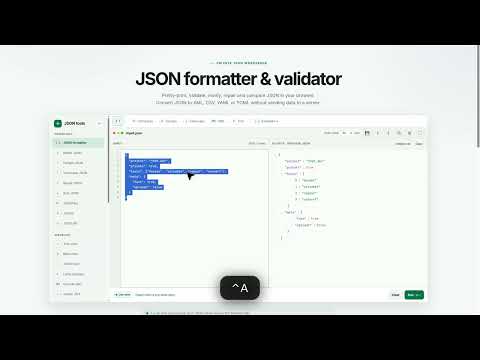
Open JFmt, a local-first JSON formatter and converter. Your data stays in the browser.
JFmt is a local-first JSON toolkit for developers. Install this extension to open the JFmt editor from the Chrome toolbar in one click. What you can do: • Format, minify, escape, unescape, repair and sort JSON • Convert between JSON, CSV, XML, YAML, TOML, query strings and Postman • Explore data in a foldable tree or mind map, with inline edit • Decode JWT, preview Lottie, and generate models in SQL, Java, C#, Go and Dart • Load examples and keep a local auto-save draft on this device only Why install it: • One toolbar icon instead of searching for a formatter every time • Your JSON is processed in the browser and is not uploaded to JFmt • No account, no extra permissions, and the extension does not read other websites • Clicking the icon opens https://jfmt.dev/?app=1 in a new tab (Focus mode) This listing is a thin launcher. JSON features update when jfmt.dev is deployed; you do not need to wait for a new store version to get formatter fixes. Privacy policy: https://jfmt.dev/privacy Homepage: https://jfmt.dev Support: https://jfmt.dev/support
5 out of 52 ratings
Details
- Version1.0.0
- UpdatedSeptember 1, 2026
- Size11.07KiB
- Languages2 languages
- DeveloperWebsite
Email
privacy@jfmt.dev - Non-traderThis developer has not identified itself as a trader. For consumers in the European Union, please note that consumer rights do not apply to contracts between you and this developer.
Privacy

This developer declares that your data is
- Not being sold to third parties, outside of the approved use cases
- Not being used or transferred for purposes that are unrelated to the item's core functionality
- Not being used or transferred to determine creditworthiness or for lending purposes
Support
For help with questions, suggestions, or problems, visit the developer's support site