

Annot

Overview
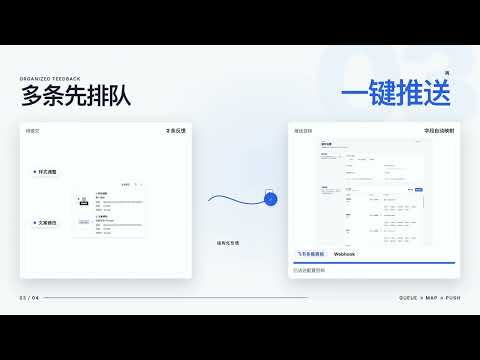
在网页上点出问题,Annot 自动截图、保留上下文并生成结构化反馈,一键发送到飞书多维表格或 Webhook,让产品验收告别反复截图和描述。
Annot 帮你直接在网页上记录验收问题:选中元素或框选区域,写下批注,自动保留截图与页面上下文,再将反馈发送到飞书多维表格或你配置的 Webhook。 2.0.0 更新:全面重构标注界面 全新工具条与批注面板 重新设计页面工具条、批注面板和插件弹窗,统一视觉与操作布局,让开始标注、查看待提交反馈和编辑内容更清楚、更顺手。 问题留在页面上 新增页面批注标记。在原页面直接找到已记录的问题,查看、编辑或删除待提交批注,方便边检查、边补充。 编辑过程更连贯 修复中文输入法选词时意外提交的问题,改善批注列表的滚动位置保持与输入焦点,让连续记录和修改反馈更稳定。 日常验收,你可以: • 选中页面元素或框选区域,配合截图说明问题 • 悬停时调整元素层级,准确定位反馈对象 • 暂存多条反馈,检查后统一提交 • 将反馈写入飞书多维表格,并配置字段映射 • 通过 Webhook 接入团队已有的工作流程 开始使用 1. 在插件设置中配置飞书目标或 Webhook。 2. 点击插件图标、使用快捷键,或通过网页右键菜单开始标注。 3. 选择目标、添加批注,检查后提交。 数据与权限 配置和待提交反馈保存在浏览器本地;提交时,数据仅发送到你配置的目标。Annot 开发者不运营接收反馈数据的后端服务。默认由你主动启动标注;可按需开启“始终启用”,并随时撤销网站访问权限。 问题与建议:dogeyip@pm.me
0 out of 5No ratings
Details
- Version2.0.0
- UpdatedSeptember 11, 2026
- Offered byZiyuYe
- Size165KiB
- Languages2 languages
- Developer
Email
mryeziv@gmail.com - Non-traderThis developer has not identified itself as a trader. For consumers in the European Union, please note that consumer rights do not apply to contracts between you and this developer.
Privacy

Annot has disclosed the following information regarding the collection and usage of your data. More detailed information can be found in the developer's privacy policy.
Annot handles the following:
This developer declares that your data is
- Not being sold to third parties, outside of the approved use cases
- Not being used or transferred for purposes that are unrelated to the item's core functionality
- Not being used or transferred to determine creditworthiness or for lending purposes