

LearnTube
6 ratings
)
Overview
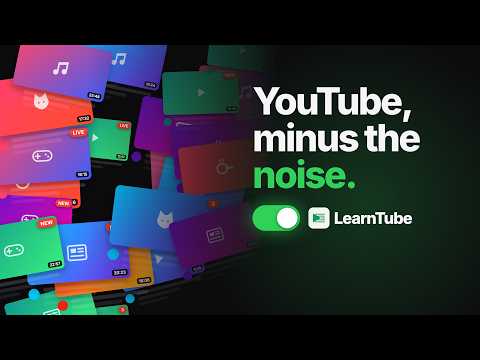
A calmer YouTube for learning: switches that hide Shorts and clutter, a Library of your playlists, and a quiet Subscriptions inbox.
Turn YouTube into a calm, distraction-free place to study. LearnTube hides the noise you never asked for and keeps only what you came to learn. Flip it on and the page settles. Flip it off and plain YouTube returns in an instant. It is free, it is open source, and it sends nothing anywhere. ONE SWITCH, OR NINE Click the LearnTube icon and everything calms down at once. Want finer control? Nine simple switches let you choose exactly what disappears: Shorts, the suggestions beside the video, the comments, the cards that cover the end of a video, the cluttered top bar, and more. Calm is the default, and every switch is yours to flip back. A CLEANER YOUTUBE, EVERYWHERE With LearnTube on, the parts of YouTube built to pull you away simply vanish. Shorts leave the shelves, the sidebar, and the player itself, so opening one lands you safely back on an ordinary page. The endless "up next" rail, the comments, and the end screens all step aside. What remains is the video, with nothing left fighting for your attention. SUBSCRIPTIONS BECOME A QUIET INBOX Your Subscriptions page turns into a calm, readable list. Channel names sit on top and video titles below, the way an inbox reads. Anything you have already opened fades back, so the new arrivals stand out at a glance. Rate the channels you love with private stars, then switch to a view of only your favourites whenever that is all you want. Every row carries a quiet menu to save a video into a topic, archive it, or block a channel for good. It only ever changes what you see, never what YouTube recommends behind the scenes. A LIBRARY OF WHAT YOU ARE ACTUALLY LEARNING Instead of an endless recommendation wall, your home becomes a Library you build yourself. Paste a playlist and it becomes a topic. LearnTube reads how far you have watched and shows it straight back to you, with a progress bar on every topic and a single Continue card that drops you into your next lecture. Open a topic and it unfolds into a course: a clean checklist of real lecture titles and lengths that you tick off as you go, by hand or automatically. Open a lecture and the player slides to the centre while the noise falls away, kept company by a small strip that always knows your place, your speed, and what comes next. THE FEED, ONLY WHEN YOU ASK Miss the algorithm now and then? A single "Show feed" button brings back what YouTube would have shown you, as a tidy list or the usual grid, right where you expect it and nowhere else. It never reorders a thing and never signals the algorithm. Would you rather it were gone completely? One switch removes the button for good. SEARCH THAT RESPECTS YOUR TIME Search gains an optional Lectures lens that quietly sets aside clips under three minutes, so the real talks, lectures, and study material rise to the top. The same save and block menu follows you here too. YOUR DATA STAYS YOURS LearnTube remembers everything in your own browser: your switches, your topics, your ratings, and what you have watched. Nothing is collected, nothing is tracked, and nothing ever leaves your machine. There are no servers, no accounts, and no analytics. It only ever touches YouTube. AN HONEST WORD LearnTube works by restyling YouTube's own pages rather than rebuilding them, which keeps it fast and light. It also means a major YouTube redesign can occasionally break a piece until it is patched. If you ever spot something off, please tell us. The whole project is open source on GitHub. A FEW HONEST LIMITS LearnTube does not block ads and does not download videos, and it runs on YouTube in a desktop browser such as Chrome, Edge, or Brave rather than the mobile app. It is an independent project, and it is not affiliated with, endorsed by, or sponsored by YouTube or Google.
5 out of 56 ratings
Details
- Version1.2.28
- UpdatedOctober 10, 2026
- Size194KiB
- LanguagesEnglish
- Developer
Email
jenshobhit@gmail.com - Non-traderThis developer has not identified itself as a trader. For consumers in the European Union, please note that consumer rights do not apply to contracts between you and this developer.
Privacy

This developer declares that your data is
- Not being sold to third parties, outside of the approved use cases
- Not being used or transferred for purposes that are unrelated to the item's core functionality
- Not being used or transferred to determine creditworthiness or for lending purposes
Support
For help with questions, suggestions, or problems, visit the developer's support site