

My Info Autofill

Overview
Fill personal information with saved profiles. Leave logins to your password manager.
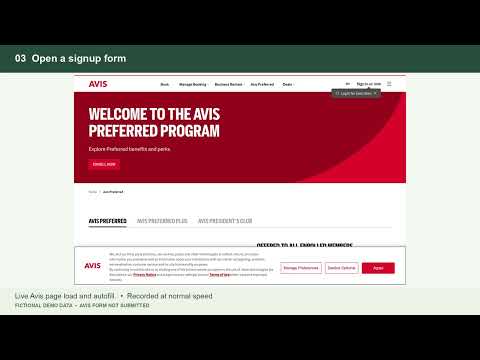
Save your personal details once and fill everyday forms with the right profile. MULTIPLE PROFILES Create profiles for personal use, work, or another person. Choose a default for automatic filling, or select a profile to replace this extension’s previous entries. Your own edits are preserved. OPTIONAL PERSONAL DETAILS Save names, contact details, gender, addresses, company information, website, GitHub and LinkedIn URLs, identity-document details, and custom fields. All personal fields are optional. Full names can be combined from your saved name parts. SMART FORM MATCHING Recognizes labels, accessible names, placeholders, autocomplete hints, common country aliases, US state names and abbreviations, and supported native or custom dropdowns. Works with many forms added after page load. An optional summary shows which fields were filled, without displaying their saved values. LOCAL ENCRYPTED VAULT Profiles and exported backups are encrypted with your vault password. Unlock once per browser session to enable filling. Your password is not saved and cannot be recovered. Export and import backups to move profiles between browsers. No developer account, cloud sync, analytics, advertising, or developer-run server. LEAVE LOGINS TO YOUR PASSWORD MANAGER Skips usernames, passwords, verification codes, payment fields, and recognized login forms. Designed to work alongside 1Password or another password manager. Not affiliated with 1Password or Google. YOU CONTROL FILLING Pause a site, turn automatic filling off, lock profiles, switch profiles, or undo the extension’s entries. Websites can read information immediately when filled, including saved identity details. Undo cannot retract information already read by a website. Review forms before submitting. Unusual controls, unclear labels, and some embedded forms may need manual entry. The extension never submits a form for you. Filling is limited to supported HTTPS websites.
0 out of 5No ratings
Details
- Version1.0.24
- UpdatedSeptember 23, 2026
- Offered byjiahongchen
- Size51.13KiB
- LanguagesEnglish
- Developer
Email
jiahong1996@gmail.com - Non-traderThis developer has not identified itself as a trader. For consumers in the European Union, please note that consumer rights do not apply to contracts between you and this developer.
Privacy

My Info Autofill has disclosed the following information regarding the collection and usage of your data. More detailed information can be found in the developer's privacy policy.
My Info Autofill handles the following:
This developer declares that your data is
- Not being sold to third parties, outside of the approved use cases
- Not being used or transferred for purposes that are unrelated to the item's core functionality
- Not being used or transferred to determine creditworthiness or for lending purposes
Support
For help with questions, suggestions, or problems, visit the developer's support site