


Overview
Private time tracking per project. Start and stop with one click, export to CSV, .ics or Google Calendar. Data stays local.
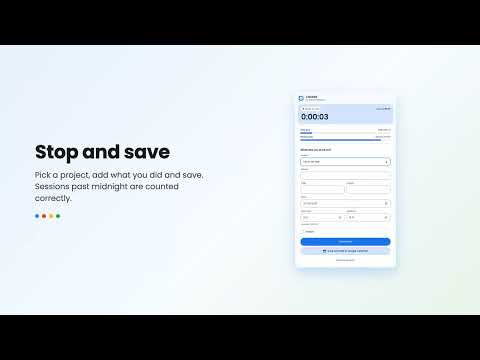
Start when you begin, press Stop when you are done, pick a project and save. Clocked keeps your hours per project, shows where your week went and exports everything in the format you need. WHAT YOU GET - Start, pause and stop in one click, or with the keyboard shortcut (Ctrl+Shift+K, Cmd+Shift+K on Mac) - The running time on the toolbar icon, and a gentle reminder when the timer has been running for a long time - Projects with their own colour and an optional hourly rate - Totals per project for today, this week and this month, with revenue for billable time - A weekly bar chart per project, with filters for period and project - Daily and weekly goals with a progress bar - Add or correct entries by hand, with checks for overlap; sessions past midnight and across daylight saving changes are counted correctly - Search in your notes, duplicate an entry or restart it with one click - Export one day, a selection or everything as CSV or .ics, or send a single entry to Google Calendar - JSON backup and restore, with a preview before anything is merged - Light and dark theme, fully usable with the keyboard and a screen reader PRIVACY FIRST All your data stays in your own browser. Clocked has no account, no server, no analytics and no tracking, and it only asks for the storage permission. UPGRADING FROM CLOCKED 3 Your existing entries and project names are converted automatically. Nothing is lost. AVAILABLE IN English, Dutch, German, French, Spanish, Portuguese and Hungarian. Clocked is made by Total Workspace, Google Workspace specialist for small and medium businesses in the Netherlands.
0 out of 5No ratings
Details
- Version4.0.0
- UpdatedSeptember 28, 2026
- Size142KiB
- Languages7 languages
- DeveloperTotal WorkspaceWebsite
Herenstraat 10A Den Haag 2511EA NLEmail
contact@totalworkspace.nlPhone
+31 6 43011790 - TraderThis developer has identified itself as a trader per the definition from the European Union and committed to only offer products or services that comply with EU laws.
- D-U-N-S492623353
Privacy

This developer declares that your data is
- Not being sold to third parties, outside of the approved use cases
- Not being used or transferred for purposes that are unrelated to the item's core functionality
- Not being used or transferred to determine creditworthiness or for lending purposes