

Tab Rotator for Dashboards & Kiosks: Auto Switch Tabs

Overview
Tab rotator and auto tab switcher for dashboards, TV screens and kiosks. Timed switching, auto-reload, full screen, auto-start.
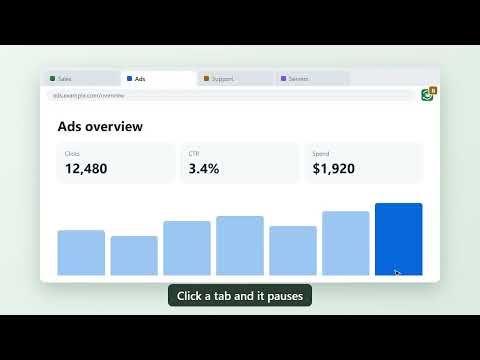
Tab Rotator switches to the next tab in your window every few seconds, so one screen can show several dashboards, reports or status pages in turn. It is a simple tab rotator and auto tab switcher for TV dashboards, monitoring screens, kiosks and office displays. Why people use Tab Rotator Put dashboards on a TV and rotate them without touching the mouse Run a kiosk or digital signage screen that comes back by itself after a restart Keep several trading, news or support pages visible on one monitor Features Pick any interval from 5 seconds to 24 hours, or use the 10s, 30s, 1m and 5m presets. Short intervals really work, not rounded up to 30 seconds Countdown on the toolbar icon shows how long until the next tab Auto-reload tabs: never, every time they are shown, or every 5 or 10 rounds, so dashboards stay fresh without constant reloading Pauses when you click a tab yourself, then resumes on its own once you step away from the computer (you choose how long counts as away) Works per window: rotate the dashboard window on the TV while you work in another window Go full screen when starting, ideal for TVs and kiosks Start automatically when Chrome opens Skip pinned tabs, for example a chat or email tab you want to keep open but not show Advanced settings: rotate forward or backward, stop by itself after a number of rounds, stay on a tab while it plays sound Toolbar icon shows the state: grey when stopped, green dot while rotating, amber dot while paused Settings save as soon as you change them Keyboard shortcut Alt+Shift+R to start or stop English and Vietnamese interface Only three light permissions, no access to your pages or browsing history How to auto switch tabs Open the tabs you want in one window. Click the Tab Rotator icon and choose an interval. Press Start rotating. Press Stop, or use Alt+Shift+R, to stop. Privacy Tab Rotator does not collect, store or send any data. It does not read the content or address of your pages. Settings are kept only in your own browser. Made by Be Ready Technology.
0 out of 5No ratings
Details
- Version1.1.2
- UpdatedNovember 9, 2026
- Size28.72KiB
- Languages2 languages
- DeveloperBe Ready Education Pty LtdWebsite
32 Bindi Ave Tarneit, VIC 3029 AUEmail
support@bereadytechnology.com.auPhone
+61 433 362 506 - TraderThis developer has identified itself as a trader per the definition from the European Union and committed to only offer products or services that comply with EU laws.
- D-U-N-S745140569
Privacy

This developer declares that your data is
- Not being sold to third parties, outside of the approved use cases
- Not being used or transferred for purposes that are unrelated to the item's core functionality
- Not being used or transferred to determine creditworthiness or for lending purposes