

Jam Clipper

Overview
Save conversations from ChatGPT, Claude and more — and ordinary web pages — in Jam.
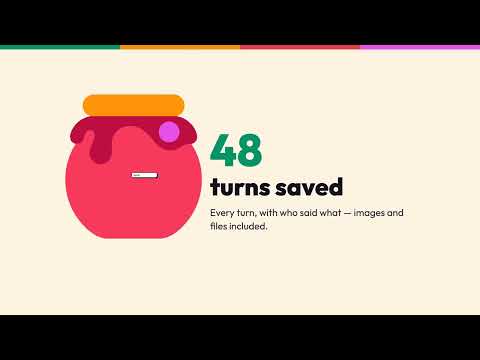
Jam Clipper saves what you find straight into your Jam — with one click. THE WHOLE CONVERSATION, NOT JUST THE SCREEN A long conversation in ChatGPT, Claude or another AI chat only shows some of its messages at a time. The Clipper reads the conversation from the site's own data — with the sign-in you already have in that tab — so the clip holds every turn, each marked with who said what. Images and files from the conversation come along wherever possible. ORDINARY WEB PAGES On an ordinary web page the Clipper saves the article itself — text, headings, lists and images — plus a screenshot of the visible part of the page. Menus, banners and cookie boxes are left behind. READY ON THE BOARD You choose which Collection the clip lands in. Afterwards it is in Jam, ready to be placed on the board, pulled out as notes and used by your whole team. IT DOES NOTHING UNTIL YOU CLICK The Clipper reads no page you merely visit. It asks for «activeTab» and «scripting» — permissions that only give access to the one page you are on, at the moment you click. It has no access to your browsing history. WHERE YOUR DATA GOES Clips are sent to one place: your Jam at jams.party. Sign-in happens with BID at id.broberg.ai. Those are the only two addresses the extension can reach. Jam stores and processes everything in the EU. REQUIREMENTS A Jam account (sign in with your BID — a one-time code by email, no password). The browser's own pages (chrome://…), the Web Store itself and PDF viewers cannot be clipped — the browser does not allow it. The Clipper speaks English and Danish; it follows your browser's language, and you can switch in its menu.
0 out of 5No ratings
Details
- Version0.1.3
- UpdatedOctober 25, 2026
- Offered byChristian Broberg
- Size107KiB
- Languages2 languages
- DeveloperWebHouse ApS
Riberhusvej 9 Blokhus 9492 DKEmail
cb@webhouse.dkPhone
+45 22 68 08 80 - TraderThis developer has identified itself as a trader per the definition from the European Union and committed to only offer products or services that comply with EU laws.
- D-U-N-S305445194
Privacy

Jam Clipper has disclosed the following information regarding the collection and usage of your data. More detailed information can be found in the developer's privacy policy.
Jam Clipper handles the following:
This developer declares that your data is
- Not being sold to third parties, outside of the approved use cases
- Not being used or transferred for purposes that are unrelated to the item's core functionality
- Not being used or transferred to determine creditworthiness or for lending purposes
Support
For help with questions, suggestions, or problems, visit the developer's support site