

MarkIt! Web Highlighter & Reader

Overview
Highlight webpages, add private notes, and export your reading to Markdown.
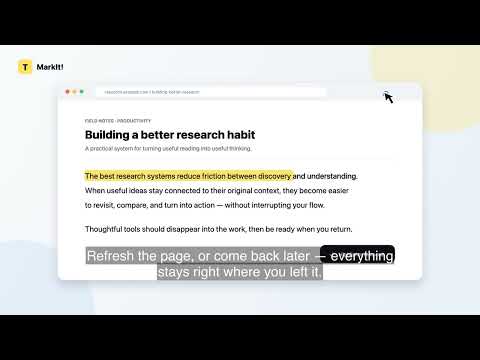
Short description Highlight webpages, add private notes, search your reading library, and export your highlights—all stored locally. Detailed description Highlight what matters. Find it again when you need it. MarkIt! is a simple, privacy-friendly web highlighter designed for articles, research, documentation, and everyday online reading. Select text on a webpage, choose a color, and MarkIt! saves the highlight directly in your browser. Add private notes, revisit the original page, or search everything later from your personal Highlight Library. Key features - Highlight selected text in four colors - Add and edit private notes - Remove highlights directly from the webpage - Search highlights, notes, page titles, and URLs - Filter by color, website, or saved date - Select multiple highlights - Export selected highlights as Markdown - Safely delete multiple selected highlights - Export and import a complete JSON backup - Restore highlights when you revisit supported webpages - No MarkIt account required Private by design Your highlights, notes, and browsing references are stored locally in your browser using Chrome storage. MarkIt! does not require an account and does not send your saved reading data to an external server. Backup files may contain selected text, notes, page titles, and URLs. Store exported files somewhere private. Great for - Reading articles and reports - Collecting research - Saving useful documentation - Building a private reference library - Organizing important passages without creating another online account Please note MarkIt! currently supports regular webpages. Highlighting inside Chrome’s built-in PDF viewer is not currently supported. Start highlighting and turn scattered reading into a searchable private library.
0 out of 5No ratings
Details
- Version0.2.0
- UpdatedSeptember 10, 2026
- Offered byyanneng0407
- Size47.97KiB
- LanguagesEnglish (United States)
- Developer
Email
srad74883@gmail.com - Non-traderThis developer has not identified itself as a trader. For consumers in the European Union, please note that consumer rights do not apply to contracts between you and this developer.
Privacy

This developer declares that your data is
- Not being sold to third parties, outside of the approved use cases
- Not being used or transferred for purposes that are unrelated to the item's core functionality
- Not being used or transferred to determine creditworthiness or for lending purposes