


概要
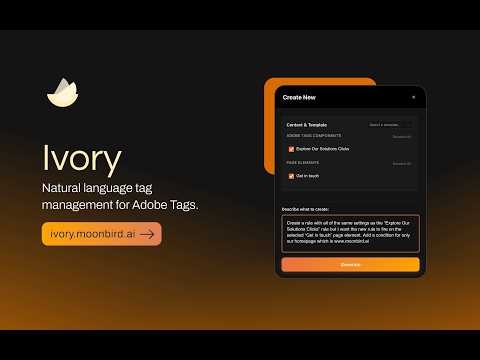
AI copilot for Adobe Tags. Create rules, update components, and refactor code by describing what you need in natural language.
Ivory accelerates Adobe Launch implementation by using AI to transform plain English descriptions into complete rule configurations, data elements, and tracking plans. BUILT FOR IMPLEMENTATION CONSULTANTS Ivory is designed for Adobe partners and consultants who implement Adobe Experience Platform Data Collection (formerly Adobe Launch) for clients. Reduce implementation time from hours to minutes. KEY FEATURES - Create Rules & Data Elements with AI Describe what you want to track in natural language. Ivory generates complete configurations including events, conditions, actions, and settings. - Analyze Any Webpage Scan any webpage to automatically identify trackable elements (buttons, links, forms). Get AI-generated tracking plans with CSS selectors, event types, and rule recommendations. - Capture Page Elements Right-click any element on any webpage to capture its CSS selector and HTML context. Use captured elements as reference when creating rules. - Batch Operations Select multiple components and apply updates to all of them simultaneously. Review changes before applying. - Component Approval Workflow Review AI-generated configurations in a carousel view before creation. Approve, modify, or reject each component individually. - Search & Reference Search your Launch property for existing rules and data elements. Add components to your workspace as context for AI-powered creation. HOW IT WORKS 1. Sign in to your Ivory account 2. Navigate to Adobe Experience Cloud or Launch 3. Open Ivory's side panel 4. Describe what you want to create or analyze a page 5. Review and approve AI-generated configurations 6. Components are created in your Launch property REQUIREMENTS - Adobe Experience Platform Data Collection (Launch) access - Ivory subscription (free trial available) PRIVACY & SECURITY - Your Adobe credentials stay in your browser - We encrypt sensitive data before transmission - See our Privacy Policy for details DISCLAIMER Ivory is developed by Moonbird AI LLC and is not affiliated with, endorsed by, sponsored by, or officially connected with Adobe Inc. Support: admin@moonbird.ai Documentation: https://ivory-docs.gitbook.io/ivory
5 点満点で 0評価なし
詳細
プライバシー

このデベロッパーは、お客様のデータについて以下を宣言しています
- 承認されている以外の用途で第三者に販売しないこと
- アイテムの中心機能と関係のない目的で使用または転送しないこと
- 信用力を判断する目的または融資目的で使用または転送しないこと
サポート
質問や提案、問題がある場合は、デベロッパーのサポートサイトにアクセスしてください。