


Overview
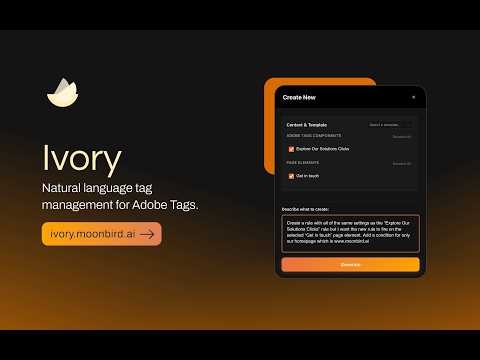
AI copilot for Adobe Tags. Create rules, update components, and refactor code by describing what you need in natural language.
Ivory is an AI copilot for Adobe Experience Platform Data Collection (Tags, formerly Adobe Launch). Describe what you need in plain English and Ivory generates complete rules, data elements, and tracking plans, and updates existing components in place. BUILT FOR IMPLEMENTATION CONSULTANTS Ivory is designed for Adobe partners and consultants who implement Adobe Experience Platform Data Collection for clients. Reduce implementation time from hours to minutes. KEY FEATURES - Create Rules & Data Elements with AI Describe what you want to track in natural language. Ivory generates complete configurations including events, conditions, actions, and extension settings, tuned to the extensions and versions installed on your property. - Update & Refactor Existing Components Point Ivory at an existing rule and describe the change. It can rename the rule and add, modify, or remove events, conditions, and actions in one pass, with explanations and warnings you approve change by change. - XDM Schema Aware (Web SDK) Ivory discovers the XDM schemas behind your Web SDK data elements and uses their structure as context, so generated code references real schema paths, including the Adobe Analytics data object (eVars, props, events). - Analyze Any Webpage Scan a page to identify trackable elements (buttons, links, forms, navigation). Get an AI-generated tracking plan with CSS selectors, event types, and priorities, then create the rules directly from the plan. - Capture Page Elements Right-click any element (or selected text) on any webpage to capture its CSS selector and HTML context, and use it as reference when creating rules. - Batch Operations Select multiple rules, components, or data elements and apply one AI-generated update to all of them. Review every change before it's applied. - Component Approval Workflow Review AI-generated configurations before anything is created. Approve, modify, or reject each component individually. - Search & Reference Instantly search everything on your property: rules, individual events/conditions/actions, data elements, and extensions. Add results to your workspace as context for AI-powered creation. - Prompt Templates & Custom Instructions Reusable prompt templates and account-level custom instructions from your Ivory account keep output consistent across your team. HOW IT WORKS 1. Sign in to your Ivory account 2. Navigate to Adobe Experience Cloud or your Tags property. Ivory detects your Adobe session automatically, with no API keys or setup 3. Open Ivory's side panel 4. Describe what you want to create or change, or analyze a page 5. Review and approve AI-generated configurations 6. Components are created or updated in your property REQUIREMENTS - Adobe Experience Platform Data Collection (Tags/Launch) access - Ivory subscription (free trial available) PRIVACY & SECURITY - Your Adobe credentials never leave your browser. Ivory talks to Adobe's APIs directly and never sends your Adobe tokens to our servers - Only what's needed for AI generation is sent to Ivory's service: your prompt, property context you choose, and (for page analysis) a trimmed snapshot of the page's interactive elements - All data is transmitted over encrypted HTTPS connections - See our Privacy Policy for details DISCLAIMER Ivory is developed by Moonbird AI LLC and is not affiliated with, endorsed by, sponsored by, or officially connected with Adobe Inc. Support: admin@moonbird.ai Documentation: https://ivory-docs.gitbook.io/ivory
0 out of 5No ratings
Details
- Version1.2.6
- UpdatedSeptember 9, 2026
- FeaturesOffers in-app purchases
- Size146KiB
- LanguagesEnglish
- Developer
- Non-traderThis developer has not identified itself as a trader. For consumers in the European Union, please note that consumer rights do not apply to contracts between you and this developer.
Privacy

This developer declares that your data is
- Not being sold to third parties, outside of the approved use cases
- Not being used or transferred for purposes that are unrelated to the item's core functionality
- Not being used or transferred to determine creditworthiness or for lending purposes
Support
For help with questions, suggestions, or problems, visit the developer's support site