

SwiftCopy: Image to Text OCR
1 rating
)
Overview
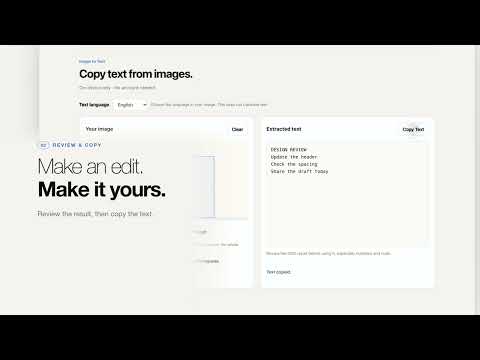
Copy text from images and screenshots. Select an area, review the extracted text, and copy it with SwiftCopy.
Turn text in an image or screenshot into text you can edit and copy. On-device only · No account needed Choose an image file, or capture the visible part of a web page. Choose the text language, select an area in the editor, extract the text, review the result and copy it when you are ready. • Import still PNG, JPG, WebP or supported uncompressed BMP images. • Select a text area or use the whole image. • Rotate an image in 90-degree steps. • Edit the result before copying. • Cancel extraction and try again. Recognition runs locally using bundled OCR files and works offline after installation. No account, analytics or image/text uploads are used. The extension has no OCR history feature. Copy Text writes to your clipboard only when you click it. Choose English, French, German, Spanish, Italian or Portuguese as the text language. All six recognition models are bundled for offline use. Choose one language per extraction; there is no automatic language detection or translation. The initial choice matches a supported interface language, with English as the fallback. The interface and privacy page support English, French, German, Spanish, Italian and Portuguese (Brazil). Review the result before using it, especially numbers and code. Chrome settings, the Chrome Web Store and other restricted pages cannot be captured; you can choose a local image instead. Capture takes the whole visible tab before you select a smaller area in the editor. Mac users can optionally explore the separate SwiftCopy clipboard-history app. This extension works independently and does not require that app.
5 out of 51 rating
Details
- Version0.1.6
- UpdatedNovember 2, 2026
- Offered bySwell Solutions
- Size12.2MiB
- Languages6 languages
- DeveloperDarian Macharowski
3 Coral Street Torquay, VIC 3228 AUEmail
developers@swellsolutions.appPhone
+61 402 857 373 - TraderThis developer has identified itself as a trader per the definition from the European Union and committed to only offer products or services that comply with EU laws.
Privacy

SwiftCopy: Image to Text OCR has disclosed the following information regarding the collection and usage of your data. More detailed information can be found in the developer's privacy policy.
SwiftCopy: Image to Text OCR handles the following:
This developer declares that your data is
- Not being sold to third parties, outside of the approved use cases
- Not being used or transferred for purposes that are unrelated to the item's core functionality
- Not being used or transferred to determine creditworthiness or for lending purposes
Support
For help with questions, suggestions, or problems, visit the developer's support site