


Overview
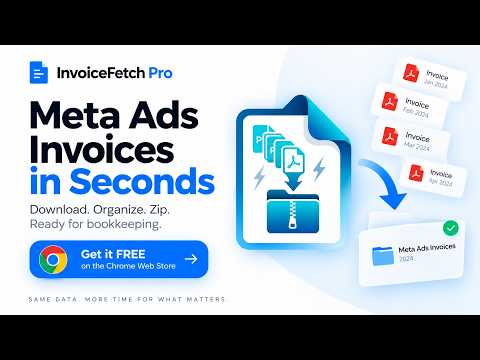
Bulk download, rename and organise Meta (Facebook) Ads invoices from Billing Activity as PDF or ZIP, with CSV and JSON reports.
Bulk download, rename and organise invoice PDFs from Meta Ads Billing Activity. InvoiceFetch Pro is built for businesses, advertisers, agencies and bookkeepers who manage Facebook and Instagram advertising costs. It finds available Meta Ads invoice PDFs, lets you review them and downloads them with clear filenames and folder structures. KEY FEATURES • Bulk download Meta Ads invoices • Filter invoices by month, quarter, year or a custom available period • Review detected invoices before downloading • Automatically rename files using the date, platform and amount • Download everything in one ZIP file or as individual PDFs • Organise invoices by account, year and month • Generate CSV and JSON reports for bookkeeping and reconciliation • Process invoice PDFs and invoice details locally in Chrome BUILT FOR BUSINESS ADMINISTRATION Stop downloading and renaming advertising invoices one by one. InvoiceFetch Pro turns Meta Ads billing documents into organised, finance-ready files that are easier to archive, share with your accountant and use during monthly bookkeeping. PRIVACY-FIRST PROCESSING Invoice PDFs, amounts and invoice identifiers remain in your browser. Optional account and subscription information is usedless to sync access to Free and Pro features. Payment details are handled securely by Paddle; Nana InvoiceFetch Pro does not receive or store your full payment-card details. HOW TO USE 1. Open Meta Ads Billing Activity in Chrome. 2. Open InvoiceFetch Pro. 3. Choose a period, filename format and folder structure. 4. Scan the billing page and review the detected invoices. 5. Select the invoices you need and download them. Free users can process up to 10 invoices per month. InvoiceFetch Pro unlocks unlimited invoice downloads and advanced file-organisation options. Help and guide: https://invoicefetchpro.com/#guide Privacy policy: https://invoicefetchpro.com/privacy/ Support: info@invoicefetchpro.com
5 out of 51 rating
Details
- Version2.4.5
- UpdatedSeptember 12, 2026
- FeaturesOffers in-app purchases
- Size486KiB
- LanguagesEnglish
- DeveloperWebsite
Email
info@invoicefetchpro.com - Non-traderThis developer has not identified itself as a trader. For consumers in the European Union, please note that consumer rights do not apply to contracts between you and this developer.
Privacy

InvoiceFetch Pro - Meta Ads Invoices has disclosed the following information regarding the collection and usage of your data. More detailed information can be found in the developer's privacy policy.
InvoiceFetch Pro - Meta Ads Invoices handles the following:
This developer declares that your data is
- Not being sold to third parties, outside of the approved use cases
- Not being used or transferred for purposes that are unrelated to the item's core functionality
- Not being used or transferred to determine creditworthiness or for lending purposes
Support
For help with questions, suggestions, or problems, visit the developer's support site