

InvertAll - Dark Mode for Any Website

Overview
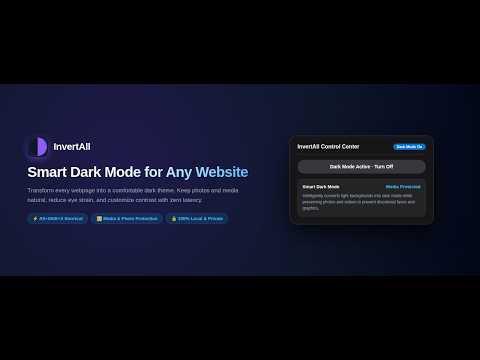
Smart dark mode for any website. Protect your eyes with customizable dark themes, brightness, contrast, and night warmth.
InvertAll instantly enables comfortable, customizable dark mode on any website to protect your eyes and reduce glare. Whether you are browsing articles late at night, reading technical documentation, or working across bright websites that lack a native dark theme, InvertAll creates an eye-comfort dark reading experience on every webpage. FEATURES • Smart Dark Mode — Converts light backgrounds into a modern dark theme while preserving photos, videos, and media in their natural original colors. • High Contrast Negative Mode — High-contrast negative styling for maximum text sharpness and visual accessibility. • Precision Visual Tuning — Adjust dark mode intensity, brightness, and contrast with real-time responsive sliders. • Night Warmth & Sepia — Built-in amber warmth and grayscale monochrome filters to soften blue light and prevent late-night eye strain. • Per-Site Memory — Remembers which websites you enabled dark mode on, automatically restoring your preferences whenever you return. • Global Dark Mode Switch — Enable dark mode on all websites by default with a single master toggle. • Instant 0ms Shortcut — Press Alt+Shift+X (Option+Shift+X on macOS) to toggle dark mode instantly without touching your mouse or opening menus. • Smooth Real-Time Transitions — All theme and visual adjustments take effect instantly with zero page reload required. HOW TO USE 1. Click the InvertAll icon in your toolbar, or press Alt+Shift+X on any webpage. 2. Click "Turn On Dark Mode" to activate dark mode for that website. 3. Enjoy Smart Dark Mode with photos and media preserved in original color. 4. Fine-tune brightness, contrast, or warmth to match your personal vision preferences. 5. All settings save automatically for that website. PRIVACY & PERMISSIONS InvertAll is 100% local and private. It runs entirely inside your browser, makes zero remote network calls, and collects no personal data, browsing history, or analytics. Your preferences remain strictly on your device. Version 1.0.0 — Official release of Smart Dark Mode for any website with live visual tuning, media protection, and instant keyboard shortcuts.
0 out of 5No ratings
Details
- Version1.0.0
- UpdatedOctober 5, 2026
- Offered byNitin
- Size88.05KiB
- LanguagesEnglish
- Developer
Email
nitin.oneand@gmail.com - Non-traderThis developer has not identified itself as a trader. For consumers in the European Union, please note that consumer rights do not apply to contracts between you and this developer.
Privacy

This developer declares that your data is
- Not being sold to third parties, outside of the approved use cases
- Not being used or transferred for purposes that are unrelated to the item's core functionality
- Not being used or transferred to determine creditworthiness or for lending purposes